Вход как титульный экран
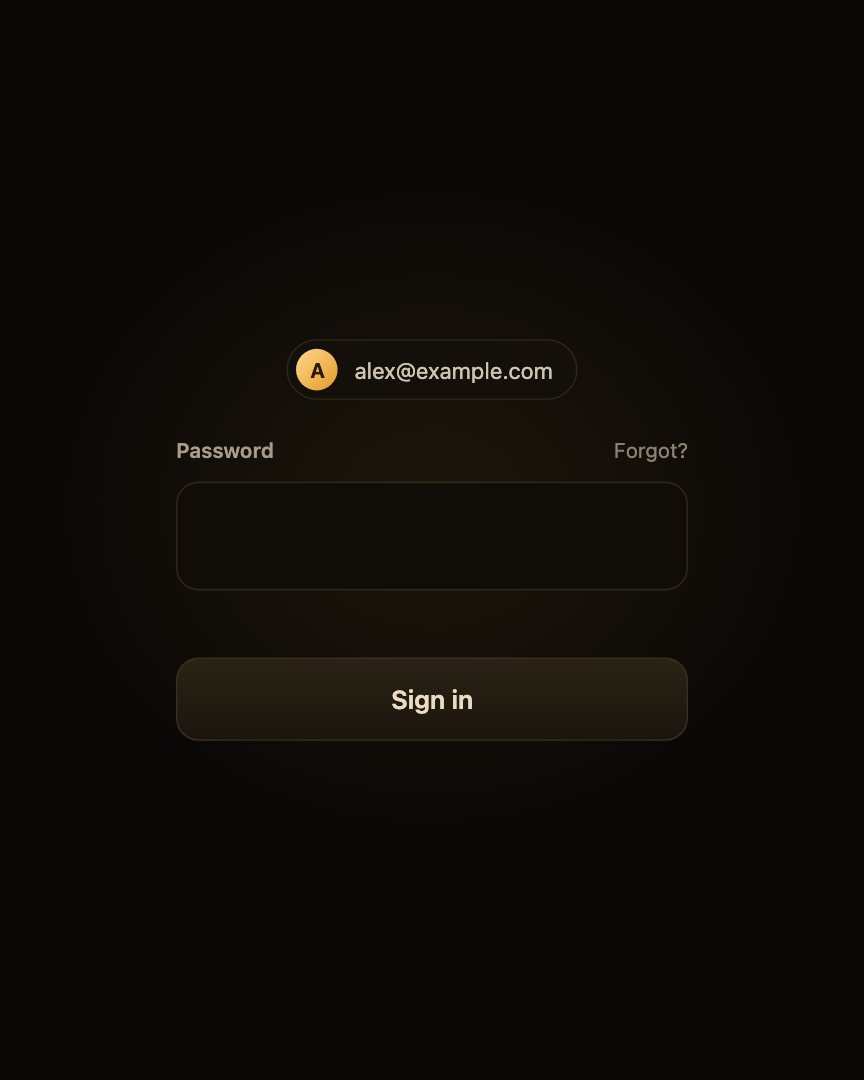
Форма входа в образе титульного экрана тёмного фэнтези. За меню дышит янтарная полоса, каждая клавиша выбивает искру, а Enter поднимает от кнопки столб света.
- Вход и формы
- Бесплатно
- canvas
- particles
- Добавлен 21 сентября 2026
<style>
/* Title Screen Login by @codinvisual · t.me/CodinVisual · free for your own site, don't resell this file */
.tl { position: relative; min-height: 100vh; overflow: hidden; background: #000; color: #FFF8EC;
  font-family: Cochin, 'Cormorant Garamond', Palatino, Georgia, serif; display: grid; place-items: center; isolation: isolate; }
.tl-sky { position: absolute; inset: 0; background: radial-gradient(60% 30% at 50% 0, rgba(70,8,6,.5), transparent); pointer-events: none; }
.tl-band { position: absolute; left: 50%; top: 50%; width: min(660px, 120vw); height: 240px; transform: translate(-50%, -70%); pointer-events: none;
  background: radial-gradient(closest-side, rgba(255,210,140,.5), rgba(190,128,48,.45) 30%, rgba(120,78,22,.3) 60%, transparent); mix-blend-mode: screen; }
.tl-embers { position: absolute; inset: 0; width: 100%; height: 100%; pointer-events: none; mix-blend-mode: screen; }
.tl-form { position: relative; z-index: 2; width: min(440px, 92vw); text-align: center; }
.tl h1 { margin: 0; white-space: nowrap; font-weight: 400; font-size: clamp(22px, 6.6vw, 40px); letter-spacing: .22em; padding-left: .22em; text-shadow: 0 0 18px rgba(255,190,110,.35); }
.tl-sub { margin: 14px 0 40px; font-size: 13px; letter-spacing: .45em; padding-left: .45em; color: rgba(214,190,150,.55); }
.tl input, .tl button { display: block; width: 100%; box-sizing: border-box; margin: 0 0 14px; padding: 12px 0; border: 0; background: transparent; outline: none;
  font: 400 22px Cochin, 'Cormorant Garamond', Palatino, Georgia, serif; letter-spacing: .22em; text-align: center; color: #FFF8EC; caret-color: #E8B45A;
  text-transform: uppercase; border-radius: 50%;
  background: radial-gradient(closest-side, rgba(200,140,55,.1), transparent); transition: background .15s ease-out, text-shadow .15s ease-out; }
.tl input[type=password] { letter-spacing: .35em; transition: letter-spacing .16s ease-in, color .16s ease-in; } .tl-form.done input[type=password] { letter-spacing: -.5em; color: transparent; }
.tl input::placeholder { color: rgba(255,244,226,.42); }
.tl input:focus, .tl button:focus-visible, .tl button:hover { background: radial-gradient(closest-side, rgba(200,140,55,.6), transparent); text-shadow: 0 0 14px rgba(255,200,120,.55); }
.tl input:focus::placeholder { color: rgba(255,244,226,.92); }
.tl button { margin-top: 18px; cursor: pointer; color: rgba(255,244,226,.42); }
.tl button:hover, .tl button:focus-visible { color: rgba(255,244,226,.92); }

.tl-spark { position: absolute; width: 8px; height: 8px; margin: -4px 0 0 -4px; border-radius: 50%; pointer-events: none; z-index: 3;
  background: radial-gradient(circle, #FFF8E1 0, rgba(255,214,140,.9) 20%, rgba(232,150,50,.35) 45%, transparent 70%); }

.tl-grace { position: absolute; left: 50%; bottom: 0; width: 120px; height: 0; margin-left: -60px; pointer-events: none; z-index: 1; opacity: 0;
  background:
    radial-gradient(50% 30% at 50% 85%, rgba(255,246,222,.9), transparent),
    radial-gradient(18% 60% at 50% 60%, rgba(255,246,222,.75), transparent),
    radial-gradient(40% 55% at 50% 65%, rgba(255,196,110,.55), transparent 80%),
    radial-gradient(8% 50% at 50% 25%, rgba(255,220,160,.6), transparent);
  filter: blur(2px); mix-blend-mode: screen; transform-origin: 50% 100%; }
.tl-grace.rise { animation: tl-rise 2.4s cubic-bezier(.22, 1, .36, 1) forwards, tl-sway 2.6s ease-in-out infinite; }
.tl-grace.gone { animation: tl-gone 1.3s ease-in-out forwards; }
.tl-flash { position: absolute; inset: 0; pointer-events: none; z-index: 4; opacity: 0; background: radial-gradient(40% 45% at 50% 35%, rgba(255,236,190,.55), transparent); }
.tl-flash.on { animation: tl-flash .6s ease-out; }
@keyframes tl-rise { from { opacity: 1; height: 0; } to { opacity: 1; height: var(--h); } }
@keyframes tl-sway { 50% { transform: skewX(1.5deg); } }
@keyframes tl-gone { from { opacity: 1; height: var(--h); transform: translateY(0); } to { opacity: 0; height: var(--h); transform: translateY(-40%); } }
@keyframes tl-flash { 10% { opacity: 1; } to { opacity: 0; } }

@media (prefers-reduced-motion: reduce) {
  .tl-grace.rise { animation: tl-rise .01s forwards; }
  .tl-flash.on, .tl-grace.gone { animation-duration: .01s; }
}
</style>

<!-- title login starts -->
<section class="tl">
  <div class="tl-sky"></div>
  <div class="tl-band"></div>
  <canvas class="tl-embers"></canvas>
  <form class="tl-form" autocomplete="on">
    <h1>WELCOME BACK</h1>
    <p class="tl-sub">SIGN IN TO CONTINUE</p>
    <input name="login" placeholder="Login" autocomplete="username" aria-label="Login">
    <input name="password" type="password" placeholder="Password" autocomplete="current-password" aria-label="Password">
    <button type="submit">Enter</button>
  </form>
  <div class="tl-grace"></div>
  <div class="tl-flash"></div>
</section>
<!-- title login ends -->

<script>
/* Title Screen Login by @codinvisual · t.me/CodinVisual · free for your own site, don't resell this file */
(() => {
const BREATH = 2.0, LOW = 0.55;
const root = document.querySelector('.tl');
const band = root.querySelector('.tl-band');
const form = root.querySelector('.tl-form');
const grace = root.querySelector('.tl-grace');
const flash = root.querySelector('.tl-flash');
const calm = matchMedia('(prefers-reduced-motion: reduce)').matches;

function glow(time) {
const s = time / 1000;
const k = Math.sin(2 * Math.PI * s / BREATH);
const a = LOW + (1 - LOW) * (k + 1) / 2;
band.style.opacity = a;
requestAnimationFrame(glow);
}

form.addEventListener('submit', async e => {
e.preventDefault(); await signIn(form);
grace.classList.add('rise');
});

function burst(x, y, n, spread, speed) {
if (calm) return;
for (let i = 0; i < n; i++) {
  const el = document.createElement('i'); el.className = 'tl-spark';
  el.style.left = x + 'px'; el.style.top = y + 'px'; root.append(el);
  const an = -Math.PI / 2 + (Math.random() - .5) * spread, d = speed * (.4 + Math.random() * .6), s = .5 + Math.random();
  el.animate([{ transform: `scale(${s})`, opacity: 1 },
    { transform: `translate(${Math.cos(an) * d}px, ${Math.sin(an) * d + d * .25}px) scale(${s * .3})`, opacity: 0 }],
    { duration: 500 + Math.random() * 700, easing: 'cubic-bezier(.22, 1, .36, 1)' }).onfinish = () => el.remove();
}
}
function at(el) {
const r = root.getBoundingClientRect(), b = el.getBoundingClientRect();
return [b.left - r.left + b.width / 2, b.top - r.top + b.height / 2, b];
}

form.addEventListener('input', e => {
const [x, y, b] = at(e.target), w = Math.min(b.width * .8, e.target.value.length * 16);
burst(x + w / 2, y, 4, 2.4, 60);
});

new MutationObserver(() => {
if (!grace.classList.contains('rise')) return;
const [x, y] = at(form.querySelector('button'));
const h = y - root.clientHeight * .07;
grace.style.bottom = root.clientHeight - y + 'px'; grace.style.setProperty('--h', h + 'px');
flash.classList.remove('on'); void flash.offsetWidth;
setTimeout(() => { flash.classList.add('on'); burst(x, y - h * .6, 30, 3.2, 160);
  form.classList.add('done'); form.querySelector('button').textContent = 'Welcome'; }, calm ? 0 : 1100);
const throwSparks = setInterval(() => burst(x, y - Math.random() * h * .8, 3, 3, 90), 90);
setTimeout(() => { clearInterval(throwSparks); grace.classList.remove('rise'); grace.classList.add('gone'); }, 2400);
setTimeout(() => grace.classList.remove('gone'), 3800);
}).observe(grace, { attributes: true, attributeFilter: ['class'] });

const cv = root.querySelector('.tl-embers'), ctx = cv.getContext('2d');
const embers = Array.from({ length: 46 }, () => ({ x: Math.random(), p: Math.random(), v: .06 + Math.random() * .08, r: 2.5 + Math.random() * 2.5 }));
let last = 0;
function drawEmbers(time) {
const dt = Math.min(.05, (time - last) / 1000); last = time;
const w = cv.width = root.clientWidth, h = cv.height = root.clientHeight;
for (const m of embers) {
  m.p = (m.p + m.v * dt) % 1;
  const x = m.x * w + 22 * Math.sin(m.p * 12.6), y = h * (1.03 - m.p * 1.1), a = .55 * Math.sin(Math.PI * m.p);
  const gr = ctx.createRadialGradient(x, y, 0, x, y, m.r * 2);
  gr.addColorStop(0, `rgba(255,236,190,${a})`); gr.addColorStop(1, 'rgba(232,150,50,0)');
  ctx.fillStyle = gr; ctx.fillRect(x - m.r * 2, y - m.r * 2, m.r * 4, m.r * 4);
}
requestAnimationFrame(drawEmbers);
}

if (!calm) { requestAnimationFrame(glow); requestAnimationFrame(drawEmbers); }
const [bx, by] = at(form.querySelector('input'));
burst(bx, by, 40, 5.6, 150);

async function signIn(form) {
// your real login request goes here, for example
// const res = await fetch('/api/login', { method: 'POST', body: new FormData(form) });
// return res.ok;
return true;
}
})();
</script>
Введите логин, нажмите Tab, введите пароль и нажмите Enter.
Что можно поменять
Поменяйте число, сохраните файл и обновите страницу, разница будет видна сразу.
BREATH2.0Сколько секунд длится один вдох полосы. 1.0 дышит вдвое быстрее, 4.0 медленно и спокойно.
LOW0.55Насколько темнеет полоса между вдохами. 0.2 почти гаснет, 0.9 едва меняется.
Как поставить на свой сайт
Скопируйте на страницу блок между комментариями title login. Форма обычная, с полями логина и пароля, поэтому менеджеры паролей её заполняют.
Комментарии в коде на английском, так файл понятен любому разработчику.
CSS
Вставьте в свой файл стилей или в тег <style> внутри <head>.
/* Title Screen Login by @codinvisual · t.me/CodinVisual · free for your own site, don't resell this file */
.tl { position: relative; min-height: 100vh; overflow: hidden; background: #000; color: #FFF8EC;
  font-family: Cochin, 'Cormorant Garamond', Palatino, Georgia, serif; display: grid; place-items: center; isolation: isolate; }
.tl-sky { position: absolute; inset: 0; background: radial-gradient(60% 30% at 50% 0, rgba(70,8,6,.5), transparent); pointer-events: none; }
.tl-band { position: absolute; left: 50%; top: 50%; width: min(660px, 120vw); height: 240px; transform: translate(-50%, -70%); pointer-events: none;
  background: radial-gradient(closest-side, rgba(255,210,140,.5), rgba(190,128,48,.45) 30%, rgba(120,78,22,.3) 60%, transparent); mix-blend-mode: screen; }
.tl-embers { position: absolute; inset: 0; width: 100%; height: 100%; pointer-events: none; mix-blend-mode: screen; }
.tl-form { position: relative; z-index: 2; width: min(440px, 92vw); text-align: center; }
.tl h1 { margin: 0; white-space: nowrap; font-weight: 400; font-size: clamp(22px, 6.6vw, 40px); letter-spacing: .22em; padding-left: .22em; text-shadow: 0 0 18px rgba(255,190,110,.35); }
.tl-sub { margin: 14px 0 40px; font-size: 13px; letter-spacing: .45em; padding-left: .45em; color: rgba(214,190,150,.55); }
.tl input, .tl button { display: block; width: 100%; box-sizing: border-box; margin: 0 0 14px; padding: 12px 0; border: 0; background: transparent; outline: none;
  font: 400 22px Cochin, 'Cormorant Garamond', Palatino, Georgia, serif; letter-spacing: .22em; text-align: center; color: #FFF8EC; caret-color: #E8B45A;
  text-transform: uppercase; border-radius: 50%;
  background: radial-gradient(closest-side, rgba(200,140,55,.1), transparent); transition: background .15s ease-out, text-shadow .15s ease-out; }
.tl input[type=password] { letter-spacing: .35em; transition: letter-spacing .16s ease-in, color .16s ease-in; } .tl-form.done input[type=password] { letter-spacing: -.5em; color: transparent; }
.tl input::placeholder { color: rgba(255,244,226,.42); }
.tl input:focus, .tl button:focus-visible, .tl button:hover { background: radial-gradient(closest-side, rgba(200,140,55,.6), transparent); text-shadow: 0 0 14px rgba(255,200,120,.55); }
.tl input:focus::placeholder { color: rgba(255,244,226,.92); }
.tl button { margin-top: 18px; cursor: pointer; color: rgba(255,244,226,.42); }
.tl button:hover, .tl button:focus-visible { color: rgba(255,244,226,.92); }

.tl-spark { position: absolute; width: 8px; height: 8px; margin: -4px 0 0 -4px; border-radius: 50%; pointer-events: none; z-index: 3;
  background: radial-gradient(circle, #FFF8E1 0, rgba(255,214,140,.9) 20%, rgba(232,150,50,.35) 45%, transparent 70%); }

.tl-grace { position: absolute; left: 50%; bottom: 0; width: 120px; height: 0; margin-left: -60px; pointer-events: none; z-index: 1; opacity: 0;
  background:
    radial-gradient(50% 30% at 50% 85%, rgba(255,246,222,.9), transparent),
    radial-gradient(18% 60% at 50% 60%, rgba(255,246,222,.75), transparent),
    radial-gradient(40% 55% at 50% 65%, rgba(255,196,110,.55), transparent 80%),
    radial-gradient(8% 50% at 50% 25%, rgba(255,220,160,.6), transparent);
  filter: blur(2px); mix-blend-mode: screen; transform-origin: 50% 100%; }
.tl-grace.rise { animation: tl-rise 2.4s cubic-bezier(.22, 1, .36, 1) forwards, tl-sway 2.6s ease-in-out infinite; }
.tl-grace.gone { animation: tl-gone 1.3s ease-in-out forwards; }
.tl-flash { position: absolute; inset: 0; pointer-events: none; z-index: 4; opacity: 0; background: radial-gradient(40% 45% at 50% 35%, rgba(255,236,190,.55), transparent); }
.tl-flash.on { animation: tl-flash .6s ease-out; }
@keyframes tl-rise { from { opacity: 1; height: 0; } to { opacity: 1; height: var(--h); } }
@keyframes tl-sway { 50% { transform: skewX(1.5deg); } }
@keyframes tl-gone { from { opacity: 1; height: var(--h); transform: translateY(0); } to { opacity: 0; height: var(--h); transform: translateY(-40%); } }
@keyframes tl-flash { 10% { opacity: 1; } to { opacity: 0; } }

@media (prefers-reduced-motion: reduce) {
  .tl-grace.rise { animation: tl-rise .01s forwards; }
  .tl-flash.on, .tl-grace.gone { animation-duration: .01s; }
}
HTML
Поставьте в то место страницы, где должен быть эффект.
<!-- title login starts -->
<section class="tl">
  <div class="tl-sky"></div>
  <div class="tl-band"></div>
  <canvas class="tl-embers"></canvas>
  <form class="tl-form" autocomplete="on">
    <h1>WELCOME BACK</h1>
    <p class="tl-sub">SIGN IN TO CONTINUE</p>
    <input name="login" placeholder="Login" autocomplete="username" aria-label="Login">
    <input name="password" type="password" placeholder="Password" autocomplete="current-password" aria-label="Password">
    <button type="submit">Enter</button>
  </form>
  <div class="tl-grace"></div>
  <div class="tl-flash"></div>
</section>
<!-- title login ends -->
JavaScript
Вставьте перед закрывающим тегом </body>, внутри <script></script>.
/* Title Screen Login by @codinvisual · t.me/CodinVisual · free for your own site, don't resell this file */
(() => {
const BREATH = 2.0, LOW = 0.55;
const root = document.querySelector('.tl');
const band = root.querySelector('.tl-band');
const form = root.querySelector('.tl-form');
const grace = root.querySelector('.tl-grace');
const flash = root.querySelector('.tl-flash');
const calm = matchMedia('(prefers-reduced-motion: reduce)').matches;

function glow(time) {
const s = time / 1000;
const k = Math.sin(2 * Math.PI * s / BREATH);
const a = LOW + (1 - LOW) * (k + 1) / 2;
band.style.opacity = a;
requestAnimationFrame(glow);
}

form.addEventListener('submit', async e => {
e.preventDefault(); await signIn(form);
grace.classList.add('rise');
});

function burst(x, y, n, spread, speed) {
if (calm) return;
for (let i = 0; i < n; i++) {
  const el = document.createElement('i'); el.className = 'tl-spark';
  el.style.left = x + 'px'; el.style.top = y + 'px'; root.append(el);
  const an = -Math.PI / 2 + (Math.random() - .5) * spread, d = speed * (.4 + Math.random() * .6), s = .5 + Math.random();
  el.animate([{ transform: `scale(${s})`, opacity: 1 },
    { transform: `translate(${Math.cos(an) * d}px, ${Math.sin(an) * d + d * .25}px) scale(${s * .3})`, opacity: 0 }],
    { duration: 500 + Math.random() * 700, easing: 'cubic-bezier(.22, 1, .36, 1)' }).onfinish = () => el.remove();
}
}
function at(el) {
const r = root.getBoundingClientRect(), b = el.getBoundingClientRect();
return [b.left - r.left + b.width / 2, b.top - r.top + b.height / 2, b];
}

form.addEventListener('input', e => {
const [x, y, b] = at(e.target), w = Math.min(b.width * .8, e.target.value.length * 16);
burst(x + w / 2, y, 4, 2.4, 60);
});

new MutationObserver(() => {
if (!grace.classList.contains('rise')) return;
const [x, y] = at(form.querySelector('button'));
const h = y - root.clientHeight * .07;
grace.style.bottom = root.clientHeight - y + 'px'; grace.style.setProperty('--h', h + 'px');
flash.classList.remove('on'); void flash.offsetWidth;
setTimeout(() => { flash.classList.add('on'); burst(x, y - h * .6, 30, 3.2, 160);
  form.classList.add('done'); form.querySelector('button').textContent = 'Welcome'; }, calm ? 0 : 1100);
const throwSparks = setInterval(() => burst(x, y - Math.random() * h * .8, 3, 3, 90), 90);
setTimeout(() => { clearInterval(throwSparks); grace.classList.remove('rise'); grace.classList.add('gone'); }, 2400);
setTimeout(() => grace.classList.remove('gone'), 3800);
}).observe(grace, { attributes: true, attributeFilter: ['class'] });

const cv = root.querySelector('.tl-embers'), ctx = cv.getContext('2d');
const embers = Array.from({ length: 46 }, () => ({ x: Math.random(), p: Math.random(), v: .06 + Math.random() * .08, r: 2.5 + Math.random() * 2.5 }));
let last = 0;
function drawEmbers(time) {
const dt = Math.min(.05, (time - last) / 1000); last = time;
const w = cv.width = root.clientWidth, h = cv.height = root.clientHeight;
for (const m of embers) {
  m.p = (m.p + m.v * dt) % 1;
  const x = m.x * w + 22 * Math.sin(m.p * 12.6), y = h * (1.03 - m.p * 1.1), a = .55 * Math.sin(Math.PI * m.p);
  const gr = ctx.createRadialGradient(x, y, 0, x, y, m.r * 2);
  gr.addColorStop(0, `rgba(255,236,190,${a})`); gr.addColorStop(1, 'rgba(232,150,50,0)');
  ctx.fillStyle = gr; ctx.fillRect(x - m.r * 2, y - m.r * 2, m.r * 4, m.r * 4);
}
requestAnimationFrame(drawEmbers);
}

if (!calm) { requestAnimationFrame(glow); requestAnimationFrame(drawEmbers); }
const [bx, by] = at(form.querySelector('input'));
burst(bx, by, 40, 5.6, 150);

async function signIn(form) {
// your real login request goes here, for example
// const res = await fetch('/api/login', { method: 'POST', body: new FormData(form) });
// return res.ok;
return true;
}
})();
Полезно знать
- Настоящий запрос входа ставьте в signIn(form) внизу скрипта, пример fetch есть в комментарии.
- При включённом уменьшении движения полоса стоит, а свет просто плавно появляется.
Tilda, Webflow, WordPress
Нажмите «Скопировать весь код» вверху и вставьте его в один HTML-блок.
Добавить блок, Другое, T123 HTML-код. Вставьте и сохраните. Проверяйте на опубликованной странице, в редакторе скрипты не запускаются.
Панель Add, Embed. Вставьте и нажмите Save & Close. Свой код работает на опубликованном сайте.
Добавить блок, Произвольный HTML. Вставьте и нажмите «Обновить».