Вход из жидкого металла
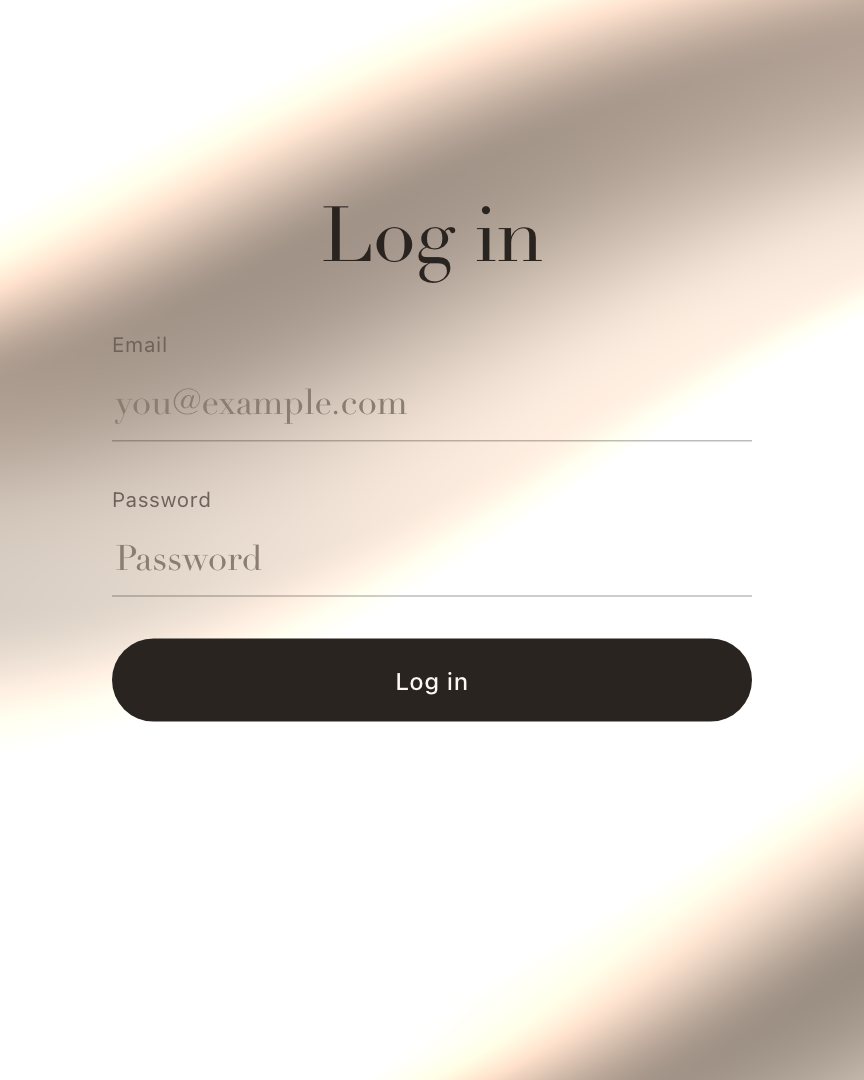
Кнопка входа, которая раскрывается на поля почты и пароля. Между половинами тянется перемычка жидкого металла, рвётся, и капли втягиваются обратно.
- Вход и формы
- Бесплатно
- liquid metal
- svg filter
- Добавлен 16 сентября 2026
<style>
:root { --paper:#F3F5F8; --smoke:#7A8290; --emerald:#34D399; }
.stack { position: relative; width: 340px; height: 210px; }
.liquid { position: absolute; inset: 0; width: 100%; height: 100%; overflow: visible; pointer-events: none; }

/* half: dark field underneath, metal on top that melts away as it opens */
.half { position: absolute; overflow: hidden; background: linear-gradient(180deg, #222731 0%, #1B1F27 100%); }
.half .metal { position: absolute; inset: 0; border-radius: inherit; background-color: #CDD2D9;
  background-image: repeating-linear-gradient(0deg, rgba(255,255,255,.022) 0 1px, rgba(0,0,0,0) 1px 2px),
                    linear-gradient(180deg, #EDF0F4 0%, #D6DBE1 38%, #C5CBD3 62%, #DADEE4 100%);
  background-size: 100% 58px, 100% 58px; background-repeat: repeat, no-repeat; }
#bot .metal { background-position: 0 -29px, 0 -29px; }

.half label { position: absolute; left: 18px; top: 10px; font-size: 12px; color: var(--smoke); pointer-events: none; }
.half input { position: absolute; left: 18px; right: 18px; bottom: 9px; border: 0; outline: 0; background: none;
  color: var(--paper); font: 500 17px/1.2 system-ui, sans-serif; caret-color: var(--emerald); }
.half input::placeholder { color: #4A515C; }

/* capsule face, this is the button you actually press */
.cap { position: absolute; display: flex; align-items: center; justify-content: center; gap: 8px;
  border: 0; background: none; cursor: pointer; font: 600 17px/1 system-ui, sans-serif; letter-spacing: -.015em;
  color: #1A1D23; text-shadow: 0 1px 0 rgba(255,255,255,.55); z-index: 3; }
.cap svg { width: 18px; height: 18px; }
.cap path { stroke-dasharray: 18; stroke-dashoffset: 18; transition: stroke-dashoffset .35s ease-out; }
[data-state="done"] .cap path { stroke-dashoffset: 0; }

.seam { position: absolute; height: 2px; border-radius: 2px; pointer-events: none;
  background: linear-gradient(90deg, rgba(232,244,255,0), #EAF6FF 30%, #EAF6FF 70%, rgba(232,244,255,0)); }
.sr { position: absolute; width: 1px; height: 1px; overflow: hidden; clip: rect(0 0 0 0); }
.hint { margin-top: 22px; text-align: center; font: 13px/1.4 system-ui, sans-serif; color: #5C6472; }
</style>

<form id="form" novalidate>
  <div class="stack" id="stack" data-state="idle">
    <svg class="liquid" id="liquid">
      <defs>
        <linearGradient id="mg" x1="0" y1="0" x2="0" y2="1">
          <stop offset="0" stop-color="#EDF0F4"/><stop offset="38%" stop-color="#D6DBE1"/>
          <stop offset="62%" stop-color="#C5CBD3"/><stop offset="100%" stop-color="#DADEE4"/>
        </linearGradient>
      </defs>
      <path id="bridge" fill="url(#mg)"/>
      <g id="drops" fill="url(#mg)"></g>
    </svg>

    <div class="half" id="top">
      <div class="metal"></div>
      <label for="email">Email</label>
      <input id="email" type="email" autocomplete="username" placeholder="you@example.com">
    </div>
    <div class="half" id="bot">
      <div class="metal"></div>
      <label for="pass">Password</label>
      <input id="pass" type="password" autocomplete="current-password" placeholder="••••••••">
    </div>

    <div class="seam" id="seam"></div>
    <button type="button" class="cap" id="cap">
      <svg viewBox="0 0 18 18" id="check" hidden><path d="M3.5 9.6 L7.3 13.2 L14.5 5.2" fill="none" stroke="#0E7A55" stroke-width="2.2" stroke-linecap="round" stroke-linejoin="round"/></svg>
      <span id="capText">Sign in</span>
    </button>
    <button type="submit" class="sr">Submit</button>
  </div>

</form>

<script>
// ── the same numbers as in the video
const spring = { k: 55, damping: 11 };
const NECK = 0.34, PULL = 26;
const PW = 240, PH = 58, FW = 320, FH = 64, GAP = 12;
const CX = 170, CY = 105;                       // center inside .stack

const $ = id => document.getElementById(id);
const clamp = (x, a = 0, b = 1) => Math.min(b, Math.max(a, x));
const lerp = (a, b, k) => a + (b - a) * k;

// topHalf/botHalf, not top/bot, because window.top belongs to the browser
const stack = $('stack'), topHalf = $('top'), botHalf = $('bot'), cap = $('cap');
const email = $('email'), pass = $('pass');

let g = 0, v = 0, target = 0;                   // g is 0 for the capsule, 1 for two fields
let prevWaist = 0, dropT = -1, last = performance.now();

const patchAt = q => lerp(PW, PW * NECK, clamp(q * 1.4));
const waistAt = q => patchAt(q) * Math.pow(clamp(1 - q / .80), 1.6);

// ── liquid metal neck between the edges of the halves
function bridge(q, yTop, yBot) {
  const el = $('bridge'), gh = yBot - yTop, wPatch = patchAt(q), waist = waistAt(q);
  if (gh <= .5 || waist <= .6) { el.setAttribute('d', ''); return 0; }
  const half = wPatch / 2, hw = waist / 2, ym = (yTop + yBot) / 2, c = gh * .34;
  el.setAttribute('d',
    `M ${CX - half} ${yTop} C ${CX - half} ${yTop + c} ${CX - hw} ${ym - c} ${CX - hw} ${ym}` +
    ` C ${CX - hw} ${ym + c} ${CX - half} ${yBot - c} ${CX - half} ${yBot}` +
    ` L ${CX + half} ${yBot} C ${CX + half} ${yBot - c} ${CX + hw} ${ym + c} ${CX + hw} ${ym}` +
    ` C ${CX + hw} ${ym - c} ${CX + half} ${yTop + c} ${CX + half} ${yTop} Z`);
  return waist;
}

// ── drops appear the moment the waist reaches zero
function drops(age, yTop, yBot) {
  const box = $('drops');
  if (age < 0 || age > 1) { box.innerHTML = ''; return; }
  const k = 1 - Math.pow(1 - age, 3), ym = (yTop + yBot) / 2;
  let out = '';
  for (let i = 0; i < 3; i++) {
    const up = i % 2 === 0, x = CX + (up ? -1 : 1) * PW * .17 * (.4 + (i + 1) / 4);
    const y = lerp(ym, up ? yTop : yBot, k), r = Math.max(0, (3.4 - i * .5) * (1 - age * .7));
    out += `<circle cx="${x.toFixed(1)}" cy="${y.toFixed(1)}" r="${r.toFixed(2)}" opacity="${(1 - age * .5).toFixed(2)}"/>`;
  }
  box.innerHTML = out;
}

function frame(now) {
  const dt = Math.min((now - last) / 1000, 1 / 30); last = now;
  // a real spring with mass 1, acceleration = k * (target - position) - damping * velocity
  v += (spring.k * (target - g) - spring.damping * v) * dt;
  g = clamp(g + v * dt, -.02, 1.05);

  const m = clamp((g - .8) / .18);                       // metal stays while the neck is stretching
  const w = lerp(PW, FW, g), hTop = lerp(PH / 2, FH, g);
  const pull = PULL * Math.sin(Math.PI * clamp(g / .8));
  const cTop = lerp(CY - PH / 4, CY - FH / 2 - GAP / 2, g) - pull / 2;
  const cBot = lerp(CY + PH / 4, CY + FH / 2 + GAP / 2, g) + pull / 2;
  const rOut = clamp(lerp(PH / 2, 18, g), 16, 29), rIn = clamp(lerp(0, 18, g), 0, 18);

  for (const [el, cy, isTop] of [[topHalf, cTop, true], [botHalf, cBot, false]]) {
    el.style.left = (CX - w / 2) + 'px'; el.style.width = w + 'px';
    el.style.top = (cy - hTop / 2) + 'px'; el.style.height = hTop + 'px';
    el.style.borderRadius = isTop ? `${rOut}px ${rOut}px ${rIn}px ${rIn}px` : `${rIn}px ${rIn}px ${rOut}px ${rOut}px`;
    el.querySelector('.metal').style.opacity = 1 - m;
    el.style.boxShadow = `0 0 0 1px rgba(255,255,255,${.10 * m}), inset 0 1px 0 rgba(255,255,255,${.7 * (1 - m) + .05 * m}), 0 18px 34px -14px rgba(3,6,10,.8)`;
  }

  const yTop = cTop + hTop / 2, yBot = cBot - hTop / 2;
  const waist = m < .98 ? bridge(g, yTop, yBot) : ($('bridge').setAttribute('d', ''), 0);
  if (prevWaist > 0 && waist === 0) dropT = now;          // the waist just reached zero
  prevWaist = waist;
  drops(dropT < 0 ? -1 : (now - dropT) / 300, yTop, yBot);

  // capsule face and fields are never shown together
  const capA = clamp(1 - g * 14), fieldA = clamp((g - .82) / .14);
  cap.style.opacity = capA; cap.style.pointerEvents = capA > .5 ? 'auto' : 'none';
  cap.style.left = (CX - w / 2) + 'px'; cap.style.top = (CY - 11) + 'px'; cap.style.width = w + 'px';
  for (const el of [topHalf, botHalf]) {
    el.querySelector('label').style.opacity = fieldA;
    const inp = el.querySelector('input');
    inp.style.opacity = fieldA; inp.style.pointerEvents = fieldA > .5 ? 'auto' : 'none';
  }
  const seam = $('seam'), sw = w - 30;
  seam.style.width = sw + 'px'; seam.style.left = (CX - sw / 2) + 'px'; seam.style.top = (CY - 1) + 'px';
  seam.style.opacity = stack.dataset.state === 'loading' ? .9 : 0;

  requestAnimationFrame(frame);
}
requestAnimationFrame(frame);

// ── states
function open() { stack.dataset.state = 'open'; target = 1; setTimeout(() => email.focus(), 260); }
function close() { stack.dataset.state = 'idle'; target = 0; email.blur(); pass.blur(); }

cap.addEventListener('click', () => {
  if (stack.dataset.state === 'done') { $('check').hidden = true; $('capText').textContent = 'Sign in'; email.value = pass.value = ''; close(); }
  else if (target === 0) open();
});
email.addEventListener('keydown', e => { if (e.key === 'Enter') { e.preventDefault(); pass.focus(); } });
document.addEventListener('keydown', e => { if (e.key === 'Escape' && target === 1) close(); });

$('form').addEventListener('submit', e => {
  e.preventDefault();
  stack.dataset.state = 'loading'; target = 0; email.blur(); pass.blur();
  setTimeout(() => {                                   // a real server request goes here
    stack.dataset.state = 'done';
    $('capText').textContent = 'Signed in'; $('check').hidden = false;
  }, 1100);
});
</script>
Нажмите на кнопку, введите что угодно и нажмите Enter. Escape закрывает форму.
Что можно поменять
Поменяйте число, сохраните файл и обновите страницу, разница будет видна сразу.
damping11Трение пружины. 4 делает кнопку похожей на желе, 20 спокойной.
PULL26Насколько половины расходятся, в пикселях. При 60 металл тянется больше чем вдвое дальше.
NECK0.34Толщина металлической перемычки. Меньше значит тоньше.
Как поставить на свой сайт
Поставьте туда, где должна быть кнопка или форма входа.
Комментарии в коде на английском, так файл понятен любому разработчику.
CSS
Вставьте в свой файл стилей или в тег <style> внутри <head>.
:root { --paper:#F3F5F8; --smoke:#7A8290; --emerald:#34D399; }
.stack { position: relative; width: 340px; height: 210px; }
.liquid { position: absolute; inset: 0; width: 100%; height: 100%; overflow: visible; pointer-events: none; }

/* half: dark field underneath, metal on top that melts away as it opens */
.half { position: absolute; overflow: hidden; background: linear-gradient(180deg, #222731 0%, #1B1F27 100%); }
.half .metal { position: absolute; inset: 0; border-radius: inherit; background-color: #CDD2D9;
  background-image: repeating-linear-gradient(0deg, rgba(255,255,255,.022) 0 1px, rgba(0,0,0,0) 1px 2px),
                    linear-gradient(180deg, #EDF0F4 0%, #D6DBE1 38%, #C5CBD3 62%, #DADEE4 100%);
  background-size: 100% 58px, 100% 58px; background-repeat: repeat, no-repeat; }
#bot .metal { background-position: 0 -29px, 0 -29px; }

.half label { position: absolute; left: 18px; top: 10px; font-size: 12px; color: var(--smoke); pointer-events: none; }
.half input { position: absolute; left: 18px; right: 18px; bottom: 9px; border: 0; outline: 0; background: none;
  color: var(--paper); font: 500 17px/1.2 system-ui, sans-serif; caret-color: var(--emerald); }
.half input::placeholder { color: #4A515C; }

/* capsule face, this is the button you actually press */
.cap { position: absolute; display: flex; align-items: center; justify-content: center; gap: 8px;
  border: 0; background: none; cursor: pointer; font: 600 17px/1 system-ui, sans-serif; letter-spacing: -.015em;
  color: #1A1D23; text-shadow: 0 1px 0 rgba(255,255,255,.55); z-index: 3; }
.cap svg { width: 18px; height: 18px; }
.cap path { stroke-dasharray: 18; stroke-dashoffset: 18; transition: stroke-dashoffset .35s ease-out; }
[data-state="done"] .cap path { stroke-dashoffset: 0; }

.seam { position: absolute; height: 2px; border-radius: 2px; pointer-events: none;
  background: linear-gradient(90deg, rgba(232,244,255,0), #EAF6FF 30%, #EAF6FF 70%, rgba(232,244,255,0)); }
.sr { position: absolute; width: 1px; height: 1px; overflow: hidden; clip: rect(0 0 0 0); }
.hint { margin-top: 22px; text-align: center; font: 13px/1.4 system-ui, sans-serif; color: #5C6472; }
HTML
Поставьте в то место страницы, где должен быть эффект.
<form id="form" novalidate>
  <div class="stack" id="stack" data-state="idle">
    <svg class="liquid" id="liquid">
      <defs>
        <linearGradient id="mg" x1="0" y1="0" x2="0" y2="1">
          <stop offset="0" stop-color="#EDF0F4"/><stop offset="38%" stop-color="#D6DBE1"/>
          <stop offset="62%" stop-color="#C5CBD3"/><stop offset="100%" stop-color="#DADEE4"/>
        </linearGradient>
      </defs>
      <path id="bridge" fill="url(#mg)"/>
      <g id="drops" fill="url(#mg)"></g>
    </svg>

    <div class="half" id="top">
      <div class="metal"></div>
      <label for="email">Email</label>
      <input id="email" type="email" autocomplete="username" placeholder="you@example.com">
    </div>
    <div class="half" id="bot">
      <div class="metal"></div>
      <label for="pass">Password</label>
      <input id="pass" type="password" autocomplete="current-password" placeholder="••••••••">
    </div>

    <div class="seam" id="seam"></div>
    <button type="button" class="cap" id="cap">
      <svg viewBox="0 0 18 18" id="check" hidden><path d="M3.5 9.6 L7.3 13.2 L14.5 5.2" fill="none" stroke="#0E7A55" stroke-width="2.2" stroke-linecap="round" stroke-linejoin="round"/></svg>
      <span id="capText">Sign in</span>
    </button>
    <button type="submit" class="sr">Submit</button>
  </div>

</form>
JavaScript
Вставьте перед закрывающим тегом </body>, внутри <script></script>.
// ── the same numbers as in the video
const spring = { k: 55, damping: 11 };
const NECK = 0.34, PULL = 26;
const PW = 240, PH = 58, FW = 320, FH = 64, GAP = 12;
const CX = 170, CY = 105;                       // center inside .stack

const $ = id => document.getElementById(id);
const clamp = (x, a = 0, b = 1) => Math.min(b, Math.max(a, x));
const lerp = (a, b, k) => a + (b - a) * k;

// topHalf/botHalf, not top/bot, because window.top belongs to the browser
const stack = $('stack'), topHalf = $('top'), botHalf = $('bot'), cap = $('cap');
const email = $('email'), pass = $('pass');

let g = 0, v = 0, target = 0;                   // g is 0 for the capsule, 1 for two fields
let prevWaist = 0, dropT = -1, last = performance.now();

const patchAt = q => lerp(PW, PW * NECK, clamp(q * 1.4));
const waistAt = q => patchAt(q) * Math.pow(clamp(1 - q / .80), 1.6);

// ── liquid metal neck between the edges of the halves
function bridge(q, yTop, yBot) {
  const el = $('bridge'), gh = yBot - yTop, wPatch = patchAt(q), waist = waistAt(q);
  if (gh <= .5 || waist <= .6) { el.setAttribute('d', ''); return 0; }
  const half = wPatch / 2, hw = waist / 2, ym = (yTop + yBot) / 2, c = gh * .34;
  el.setAttribute('d',
    `M ${CX - half} ${yTop} C ${CX - half} ${yTop + c} ${CX - hw} ${ym - c} ${CX - hw} ${ym}` +
    ` C ${CX - hw} ${ym + c} ${CX - half} ${yBot - c} ${CX - half} ${yBot}` +
    ` L ${CX + half} ${yBot} C ${CX + half} ${yBot - c} ${CX + hw} ${ym + c} ${CX + hw} ${ym}` +
    ` C ${CX + hw} ${ym - c} ${CX + half} ${yTop + c} ${CX + half} ${yTop} Z`);
  return waist;
}

// ── drops appear the moment the waist reaches zero
function drops(age, yTop, yBot) {
  const box = $('drops');
  if (age < 0 || age > 1) { box.innerHTML = ''; return; }
  const k = 1 - Math.pow(1 - age, 3), ym = (yTop + yBot) / 2;
  let out = '';
  for (let i = 0; i < 3; i++) {
    const up = i % 2 === 0, x = CX + (up ? -1 : 1) * PW * .17 * (.4 + (i + 1) / 4);
    const y = lerp(ym, up ? yTop : yBot, k), r = Math.max(0, (3.4 - i * .5) * (1 - age * .7));
    out += `<circle cx="${x.toFixed(1)}" cy="${y.toFixed(1)}" r="${r.toFixed(2)}" opacity="${(1 - age * .5).toFixed(2)}"/>`;
  }
  box.innerHTML = out;
}

function frame(now) {
  const dt = Math.min((now - last) / 1000, 1 / 30); last = now;
  // a real spring with mass 1, acceleration = k * (target - position) - damping * velocity
  v += (spring.k * (target - g) - spring.damping * v) * dt;
  g = clamp(g + v * dt, -.02, 1.05);

  const m = clamp((g - .8) / .18);                       // metal stays while the neck is stretching
  const w = lerp(PW, FW, g), hTop = lerp(PH / 2, FH, g);
  const pull = PULL * Math.sin(Math.PI * clamp(g / .8));
  const cTop = lerp(CY - PH / 4, CY - FH / 2 - GAP / 2, g) - pull / 2;
  const cBot = lerp(CY + PH / 4, CY + FH / 2 + GAP / 2, g) + pull / 2;
  const rOut = clamp(lerp(PH / 2, 18, g), 16, 29), rIn = clamp(lerp(0, 18, g), 0, 18);

  for (const [el, cy, isTop] of [[topHalf, cTop, true], [botHalf, cBot, false]]) {
    el.style.left = (CX - w / 2) + 'px'; el.style.width = w + 'px';
    el.style.top = (cy - hTop / 2) + 'px'; el.style.height = hTop + 'px';
    el.style.borderRadius = isTop ? `${rOut}px ${rOut}px ${rIn}px ${rIn}px` : `${rIn}px ${rIn}px ${rOut}px ${rOut}px`;
    el.querySelector('.metal').style.opacity = 1 - m;
    el.style.boxShadow = `0 0 0 1px rgba(255,255,255,${.10 * m}), inset 0 1px 0 rgba(255,255,255,${.7 * (1 - m) + .05 * m}), 0 18px 34px -14px rgba(3,6,10,.8)`;
  }

  const yTop = cTop + hTop / 2, yBot = cBot - hTop / 2;
  const waist = m < .98 ? bridge(g, yTop, yBot) : ($('bridge').setAttribute('d', ''), 0);
  if (prevWaist > 0 && waist === 0) dropT = now;          // the waist just reached zero
  prevWaist = waist;
  drops(dropT < 0 ? -1 : (now - dropT) / 300, yTop, yBot);

  // capsule face and fields are never shown together
  const capA = clamp(1 - g * 14), fieldA = clamp((g - .82) / .14);
  cap.style.opacity = capA; cap.style.pointerEvents = capA > .5 ? 'auto' : 'none';
  cap.style.left = (CX - w / 2) + 'px'; cap.style.top = (CY - 11) + 'px'; cap.style.width = w + 'px';
  for (const el of [topHalf, botHalf]) {
    el.querySelector('label').style.opacity = fieldA;
    const inp = el.querySelector('input');
    inp.style.opacity = fieldA; inp.style.pointerEvents = fieldA > .5 ? 'auto' : 'none';
  }
  const seam = $('seam'), sw = w - 30;
  seam.style.width = sw + 'px'; seam.style.left = (CX - sw / 2) + 'px'; seam.style.top = (CY - 1) + 'px';
  seam.style.opacity = stack.dataset.state === 'loading' ? .9 : 0;

  requestAnimationFrame(frame);
}
requestAnimationFrame(frame);

// ── states
function open() { stack.dataset.state = 'open'; target = 1; setTimeout(() => email.focus(), 260); }
function close() { stack.dataset.state = 'idle'; target = 0; email.blur(); pass.blur(); }

cap.addEventListener('click', () => {
  if (stack.dataset.state === 'done') { $('check').hidden = true; $('capText').textContent = 'Sign in'; email.value = pass.value = ''; close(); }
  else if (target === 0) open();
});
email.addEventListener('keydown', e => { if (e.key === 'Enter') { e.preventDefault(); pass.focus(); } });
document.addEventListener('keydown', e => { if (e.key === 'Escape' && target === 1) close(); });

$('form').addEventListener('submit', e => {
  e.preventDefault();
  stack.dataset.state = 'loading'; target = 0; email.blur(); pass.blur();
  setTimeout(() => {                                   // a real server request goes here
    stack.dataset.state = 'done';
    $('capText').textContent = 'Signed in'; $('check').hidden = false;
  }, 1100);
});
Подключение к серверу
Найдите в скрипте строку a real server request goes here и вставьте туда свой fetch() входа.
Tilda, Webflow, WordPress
Нажмите «Скопировать весь код» вверху и вставьте его в один HTML-блок.
Добавить блок, Другое, T123 HTML-код. Вставьте и сохраните. Проверяйте на опубликованной странице, в редакторе скрипты не запускаются.
Панель Add, Embed. Вставьте и нажмите Save & Close. Свой код работает на опубликованном сайте.
Добавить блок, Произвольный HTML. Вставьте и нажмите «Обновить».