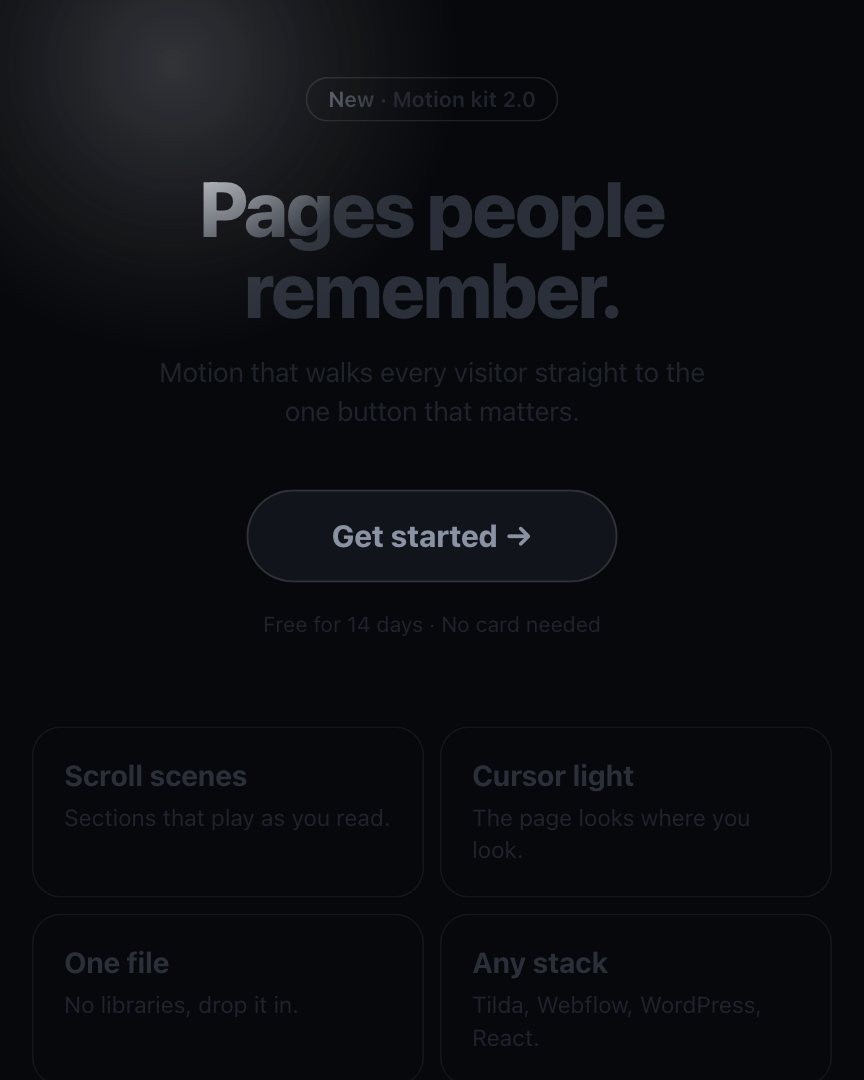
Прелоадер сайта
Полноэкранный счётчик загрузки. Полоса догоняет прогресс с инерцией, цифры крутятся как на одометре, потом выезжает сайт.
- Первый экран
- Бесплатно
- transition
- Добавлен 12 сентября 2026
<style>
:root {
  --bone: #F2EFE9; --ink: #0C0B0A; --slot: 92px;   /* height of the digit window */
}
/* ── loading screen ─────────────────────────────────────────────── */
.preloader { position: fixed; inset: 0; z-index: 10; background: var(--bone); overflow: hidden; }
/* leaves with a delay so the site lines can start moving, comes back instantly */
.preloader[data-state="done"] { opacity: 0; visibility: hidden; transition: opacity .35s .5s, visibility .35s .5s; }

/* full height black progress bar, it is also the background of the revealed site */
.fill { position: absolute; inset: 0 auto 0 0; width: 0; background: var(--ink); }

/* digits and ruler are white, difference inverts them on the light background */
.count, .ruler, .status { mix-blend-mode: difference; color: #fff; }

.count { position: absolute; right: 24px; bottom: 34px; display: flex; align-items: flex-end; }
.slot { width: 42px; height: var(--slot); overflow: hidden; }
/* font size is well below the window, otherwise the next digit peeks in */
.reel div { height: var(--slot); font: 84px/var(--slot) 'DIN Condensed', 'Avenir Next', system-ui, sans-serif; text-align: center; }
.count i { font: 32px/1 'DIN Condensed', 'Avenir Next', system-ui, sans-serif; font-style: normal; margin: 0 0 10px 6px; }

.ruler { position: absolute; left: 24px; right: 24px; top: 10px; height: 12px; display: flex; justify-content: space-between; align-items: flex-start; }
.ruler i { display: block; width: 1px; background: #fff; }
.status { position: absolute; left: 24px; top: 30px; height: 14px; overflow: hidden; }
.status span { display: block; font: 11px/14px ui-monospace, Menlo, monospace; letter-spacing: .14em; transition: transform .3s cubic-bezier(.2,.7,.2,1); }

/* ── site under the loading screen ─────────────────────────────── */
.site { position: relative; height: 100%; padding: 30px 24px; }
nav { display: flex; gap: 18px; justify-content: flex-end; font: 11px/14px ui-monospace, Menlo, monospace; letter-spacing: .14em; color: rgba(255,255,255,.5); }
h1 { position: absolute; left: 24px; bottom: 132px; margin: 0; font-size: clamp(40px, 9vw, 68px); letter-spacing: -.035em; }
.lead { position: absolute; left: 24px; bottom: 104px; margin: 0; font-size: 15px; color: rgba(255,255,255,.58); }
.rule { position: absolute; left: 24px; right: 24px; bottom: 72px; height: 1px; background: rgba(255,255,255,.18); transform-origin: 0 50%; }
.tape { position: absolute; left: 0; right: 0; bottom: 40px; overflow: hidden; font: 11px/14px ui-monospace, Menlo, monospace; letter-spacing: .18em; color: rgba(255,255,255,.42); white-space: nowrap; }

/* lines slide out from under masks, JS sets the delay between them */
.mask { overflow: hidden; }
.mask > * , .rule, .tape, nav { transition: transform .7s cubic-bezier(.2,.7,.2,1), opacity .7s; }
body:not([data-loaded]) .mask > * { transform: translateY(110%); }
body:not([data-loaded]) .rule { transform: scaleX(0); }
body:not([data-loaded]) .tape,
body:not([data-loaded]) nav { opacity: 0; transform: translateY(10px); }

/* the button only matters once the site is open */
body:not([data-loaded]) .again { opacity: 0; pointer-events: none; }
.again { position: absolute; right: 24px; top: 50%; transform: translateY(-50%); z-index: 20; transition: opacity .3s; padding: 8px 14px; border: 1px solid rgba(255,255,255,.25); border-radius: 999px;
  background: none; color: #fff; font: 12px/1 ui-monospace, Menlo, monospace; cursor: pointer; }
</style>

<div class="preloader" id="pre">
  <div class="fill" id="fill"></div>
  <div class="ruler" id="ruler"></div>
  <div class="status"><span id="status">connecting</span></div>
  <div class="count" id="count"><i>%</i></div>
</div>

<script>
const EASE = 0.12, STAGGER = 0.055;
let p = 0;

const pre = document.getElementById('pre');
const fill = document.getElementById('fill');
const count = document.getElementById('count');

// three reels of ten digits, hundreds, tens and ones from left to right before the percent sign
const pct = count.querySelector('i');
const reels = [0, 1, 2].map(() => {
  const slot = document.createElement('div'); slot.className = 'slot';
  const reel = document.createElement('div'); reel.className = 'reel';
  reel.innerHTML = [0,1,2,3,4,5,6,7,8,9,0].map(d => `<div>${d}</div>`).join('');
  slot.appendChild(reel); count.insertBefore(slot, pct); return reel;
});
const SLOT_H = parseInt(getComputedStyle(document.documentElement).getPropertyValue('--slot'));

// like an odometer, the higher digit turns only on carry
function roll(value) {
  [2, 1, 0].forEach((exp, i) => {
    const x = value / Math.pow(10, exp), base = Math.floor(x), frac = x - base;
    const v = base + (frac > .88 ? (frac - .88) / .12 : 0);
    reels[i].style.transform = `translateY(${-((v % 10 + 10) % 10) * SLOT_H}px)`;
  });
}

// one frame, the bar chases the target with inertia, digits snap to the target
function frame(target) {
  p += (target - p) * EASE;
  fill.style.width = p + '%';
  roll(target);
}

document.getElementById('ruler').innerHTML =
  Array.from({ length: 41 }, (_, i) => `<i style="height:${i % 5 ? 5 : 11}px"></i>`).join('');

// ── what we show and when ───────────────────────────────────────
// Progress is faked in steps here. In a real project feed in the share
// of loaded images, fonts or data. Change target and the rest just works.
const STEPS  = [18, 24, 37, 41, 52, 58, 63, 71, 76, 83, 92, 100];
const STATUS = ['connecting', 'fetching assets', 'decoding fonts', 'warming shaders', 'almost there', 'ready'];
const BEAT = 500;   // ms per step, 500 = 120 beats per minute

let target = 0, step = 0, timer = null;

function tick() {
  target = STEPS[step];
  document.getElementById('status').textContent = STATUS[Math.min(step >> 1, STATUS.length - 1)];
  document.getElementById('status').animate(
    [{ transform: 'translateY(14px)' }, { transform: 'none' }], { duration: 300, easing: 'cubic-bezier(.2,.7,.2,1)' });
  if (++step < STEPS.length) timer = setTimeout(tick, BEAT);
  else setTimeout(open, BEAT);
}

function open() {
  document.body.setAttribute('data-loaded', '');
  pre.dataset.state = 'done';
}

// delay between site lines
const lines = [...document.querySelectorAll('.mask > *, .rule, .tape, nav')];
lines.forEach((line, i) => { line.style.transitionDelay = i * STAGGER + 's'; });

(function loop() { frame(target); requestAnimationFrame(loop); })();
tick();

// replay button of the demo page, safe to delete on your site
document.getElementById('again')?.addEventListener('click', () => {
  clearTimeout(timer);
  document.body.removeAttribute('data-loaded');
  pre.dataset.state = 'loading';
  p = 0; target = 0; step = 0;
  setTimeout(tick, 400);
});
</script>
Посмотрите, как он грузится, потом нажмите replay.
Что можно поменять
Поменяйте число, сохраните файл и обновите страницу, разница будет видна сразу.
EASE0.12Как полоса догоняет прогресс. 0.03 тягуче, 0.3 дёргано.
STAGGER0.055Пауза в секундах между строками сайта, которые выезжают в конце.
Как поставить на свой сайт
Поставьте сразу после открывающего тега <body>, чтобы он закрывал страницу, пока она грузится.
Комментарии в коде на английском, так файл понятен любому разработчику.
CSS
Вставьте в свой файл стилей или в тег <style> внутри <head>.
:root {
  --bone: #F2EFE9; --ink: #0C0B0A; --slot: 92px;   /* height of the digit window */
}
/* ── loading screen ─────────────────────────────────────────────── */
.preloader { position: fixed; inset: 0; z-index: 10; background: var(--bone); overflow: hidden; }
/* leaves with a delay so the site lines can start moving, comes back instantly */
.preloader[data-state="done"] { opacity: 0; visibility: hidden; transition: opacity .35s .5s, visibility .35s .5s; }

/* full height black progress bar, it is also the background of the revealed site */
.fill { position: absolute; inset: 0 auto 0 0; width: 0; background: var(--ink); }

/* digits and ruler are white, difference inverts them on the light background */
.count, .ruler, .status { mix-blend-mode: difference; color: #fff; }

.count { position: absolute; right: 24px; bottom: 34px; display: flex; align-items: flex-end; }
.slot { width: 42px; height: var(--slot); overflow: hidden; }
/* font size is well below the window, otherwise the next digit peeks in */
.reel div { height: var(--slot); font: 84px/var(--slot) 'DIN Condensed', 'Avenir Next', system-ui, sans-serif; text-align: center; }
.count i { font: 32px/1 'DIN Condensed', 'Avenir Next', system-ui, sans-serif; font-style: normal; margin: 0 0 10px 6px; }

.ruler { position: absolute; left: 24px; right: 24px; top: 10px; height: 12px; display: flex; justify-content: space-between; align-items: flex-start; }
.ruler i { display: block; width: 1px; background: #fff; }
.status { position: absolute; left: 24px; top: 30px; height: 14px; overflow: hidden; }
.status span { display: block; font: 11px/14px ui-monospace, Menlo, monospace; letter-spacing: .14em; transition: transform .3s cubic-bezier(.2,.7,.2,1); }

/* ── site under the loading screen ─────────────────────────────── */
.site { position: relative; height: 100%; padding: 30px 24px; }
nav { display: flex; gap: 18px; justify-content: flex-end; font: 11px/14px ui-monospace, Menlo, monospace; letter-spacing: .14em; color: rgba(255,255,255,.5); }
h1 { position: absolute; left: 24px; bottom: 132px; margin: 0; font-size: clamp(40px, 9vw, 68px); letter-spacing: -.035em; }
.lead { position: absolute; left: 24px; bottom: 104px; margin: 0; font-size: 15px; color: rgba(255,255,255,.58); }
.rule { position: absolute; left: 24px; right: 24px; bottom: 72px; height: 1px; background: rgba(255,255,255,.18); transform-origin: 0 50%; }
.tape { position: absolute; left: 0; right: 0; bottom: 40px; overflow: hidden; font: 11px/14px ui-monospace, Menlo, monospace; letter-spacing: .18em; color: rgba(255,255,255,.42); white-space: nowrap; }

/* lines slide out from under masks, JS sets the delay between them */
.mask { overflow: hidden; }
.mask > * , .rule, .tape, nav { transition: transform .7s cubic-bezier(.2,.7,.2,1), opacity .7s; }
body:not([data-loaded]) .mask > * { transform: translateY(110%); }
body:not([data-loaded]) .rule { transform: scaleX(0); }
body:not([data-loaded]) .tape,
body:not([data-loaded]) nav { opacity: 0; transform: translateY(10px); }

/* the button only matters once the site is open */
body:not([data-loaded]) .again { opacity: 0; pointer-events: none; }
.again { position: absolute; right: 24px; top: 50%; transform: translateY(-50%); z-index: 20; transition: opacity .3s; padding: 8px 14px; border: 1px solid rgba(255,255,255,.25); border-radius: 999px;
  background: none; color: #fff; font: 12px/1 ui-monospace, Menlo, monospace; cursor: pointer; }
HTML
Поставьте в то место страницы, где должен быть эффект.
<div class="preloader" id="pre">
  <div class="fill" id="fill"></div>
  <div class="ruler" id="ruler"></div>
  <div class="status"><span id="status">connecting</span></div>
  <div class="count" id="count"><i>%</i></div>
</div>
JavaScript
Вставьте перед закрывающим тегом </body>, внутри <script></script>.
const EASE = 0.12, STAGGER = 0.055;
let p = 0;

const pre = document.getElementById('pre');
const fill = document.getElementById('fill');
const count = document.getElementById('count');

// three reels of ten digits, hundreds, tens and ones from left to right before the percent sign
const pct = count.querySelector('i');
const reels = [0, 1, 2].map(() => {
  const slot = document.createElement('div'); slot.className = 'slot';
  const reel = document.createElement('div'); reel.className = 'reel';
  reel.innerHTML = [0,1,2,3,4,5,6,7,8,9,0].map(d => `<div>${d}</div>`).join('');
  slot.appendChild(reel); count.insertBefore(slot, pct); return reel;
});
const SLOT_H = parseInt(getComputedStyle(document.documentElement).getPropertyValue('--slot'));

// like an odometer, the higher digit turns only on carry
function roll(value) {
  [2, 1, 0].forEach((exp, i) => {
    const x = value / Math.pow(10, exp), base = Math.floor(x), frac = x - base;
    const v = base + (frac > .88 ? (frac - .88) / .12 : 0);
    reels[i].style.transform = `translateY(${-((v % 10 + 10) % 10) * SLOT_H}px)`;
  });
}

// one frame, the bar chases the target with inertia, digits snap to the target
function frame(target) {
  p += (target - p) * EASE;
  fill.style.width = p + '%';
  roll(target);
}

document.getElementById('ruler').innerHTML =
  Array.from({ length: 41 }, (_, i) => `<i style="height:${i % 5 ? 5 : 11}px"></i>`).join('');

// ── what we show and when ───────────────────────────────────────
// Progress is faked in steps here. In a real project feed in the share
// of loaded images, fonts or data. Change target and the rest just works.
const STEPS  = [18, 24, 37, 41, 52, 58, 63, 71, 76, 83, 92, 100];
const STATUS = ['connecting', 'fetching assets', 'decoding fonts', 'warming shaders', 'almost there', 'ready'];
const BEAT = 500;   // ms per step, 500 = 120 beats per minute

let target = 0, step = 0, timer = null;

function tick() {
  target = STEPS[step];
  document.getElementById('status').textContent = STATUS[Math.min(step >> 1, STATUS.length - 1)];
  document.getElementById('status').animate(
    [{ transform: 'translateY(14px)' }, { transform: 'none' }], { duration: 300, easing: 'cubic-bezier(.2,.7,.2,1)' });
  if (++step < STEPS.length) timer = setTimeout(tick, BEAT);
  else setTimeout(open, BEAT);
}

function open() {
  document.body.setAttribute('data-loaded', '');
  pre.dataset.state = 'done';
}

// delay between site lines
const lines = [...document.querySelectorAll('.mask > *, .rule, .tape, nav')];
lines.forEach((line, i) => { line.style.transitionDelay = i * STAGGER + 's'; });

(function loop() { frame(target); requestAnimationFrame(loop); })();
tick();

// replay button of the demo page, safe to delete on your site
document.getElementById('again')?.addEventListener('click', () => {
  clearTimeout(timer);
  document.body.removeAttribute('data-loaded');
  pre.dataset.state = 'loading';
  p = 0; target = 0; step = 0;
  setTimeout(tick, 400);
});
Подключение к серверу
В демо прогресс имитируется через STEPS. Передавайте в target настоящую долю загруженных картинок, шрифтов или данных от 0 до 100, и полоса с цифрами пойдут за ней.
Полезно знать
- Демо-сайт под прелоадером в HTML-шаг не входит, используйте свою страницу.
Tilda, Webflow, WordPress
Нажмите «Скопировать весь код» вверху и вставьте его в один HTML-блок.
Добавить блок, Другое, T123 HTML-код. Вставьте и сохраните. Проверяйте на опубликованной странице, в редакторе скрипты не запускаются.
Панель Add, Embed. Вставьте и нажмите Save & Close. Свой код работает на опубликованном сайте.
Добавить блок, Произвольный HTML. Вставьте и нажмите «Обновить».