Sign In Capsule
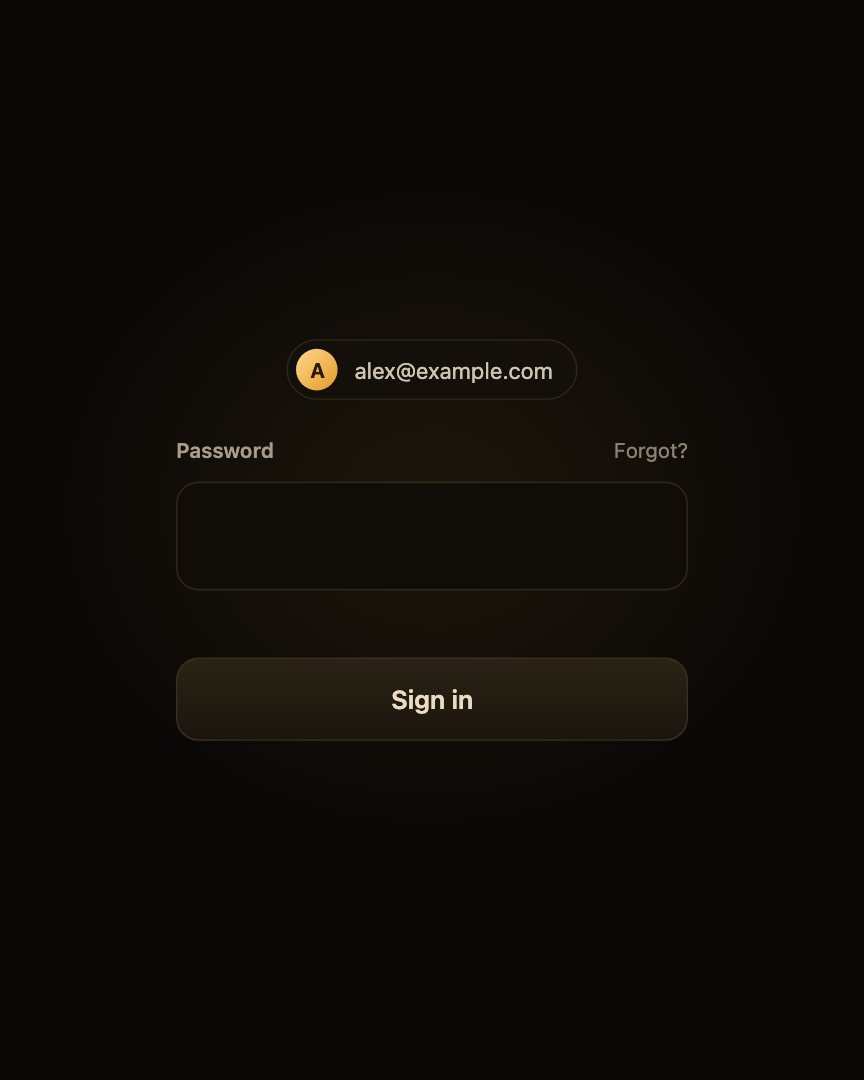
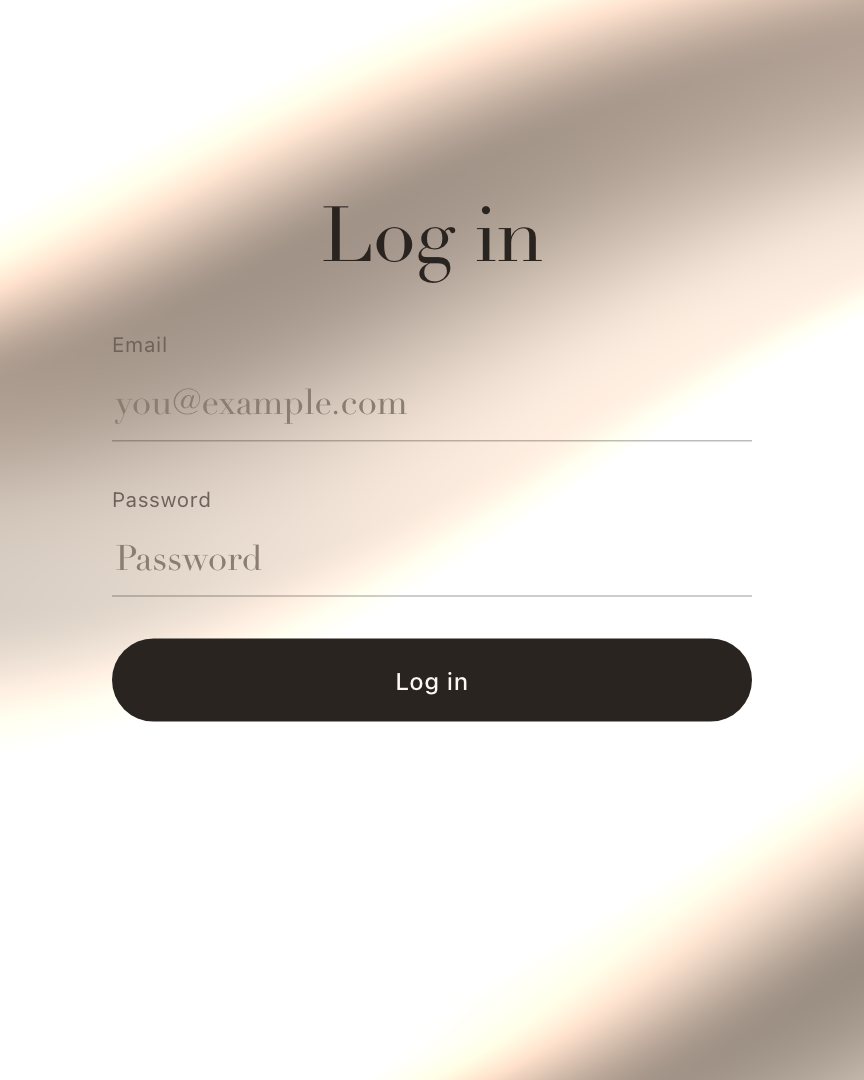
A sign in button that cracks open into two fields on a real spring. One CSS variable drives the whole form.
- Sign in & forms
- Free
- spring
- Added Sep 11, 2026
<style>
:root { --smoke: #7a8290; --paper: #f3f5f8; --emerald: #34d399; }
/* One variable --g drives the whole form, 0 is the button, 1 is two fields */
.login {
  --g: 0; --mx: 70px; --my: -6px;
  --m: min(1, calc(var(--g) * 1.6));             /* metal to field */
  --open: min(1, calc(var(--g) * 4));            /* how far the seam has opened */
  --w: calc(240px + 80px * var(--g));
  --h: calc(29px + 35px * var(--g));
  --r-out: max(16px, calc(29px - 11px * var(--g)));
  --r-in: calc(18px * min(1, var(--g)));
  position: relative; width: 320px; height: 152px;
}

.half {
  position: absolute; left: 50%; width: var(--w); height: var(--h);
  margin-left: calc(var(--w) / -2); overflow: hidden;
  transition: transform .12s;
}
.top {
  bottom: calc(50% + 6px * var(--g)); transform-origin: 50% 100%;
  border-radius: var(--r-out) var(--r-out) var(--r-in) var(--r-in);
  box-shadow: 0 0 0 1px rgba(255,255,255, calc(.1 * var(--m))),
    inset 0 1px 0 rgba(255,255,255, calc(.75 * (1 - var(--m)))),
    inset 0 -1px 0 rgba(0,0,0, calc(.3 * (1 - var(--m)) * var(--open))),
    0 18px 34px -14px rgba(3,6,10, calc(.85 * min(1, var(--g) * 3)));
}
.bot {
  top: calc(50% + 6px * var(--g)); transform-origin: 50% 0;
  border-radius: var(--r-in) var(--r-in) var(--r-out) var(--r-out);
  box-shadow: 0 0 0 1px rgba(255,255,255, calc(.1 * var(--m))),
    inset 0 1px 0 rgba(255,255,255, calc(.75 * (1 - var(--m)) * var(--open))),
    inset 0 -1px 0 rgba(0,0,0, calc(.3 * (1 - var(--m)))),
    0 18px 34px -14px rgba(3,6,10,.85);
}
.half:focus-within {
  box-shadow: 0 0 0 1px rgba(52,211,153,.55), 0 0 0 4px rgba(52,211,153,.12), 0 18px 34px -14px rgba(3,6,10,.85);
}
.login:has(.face:active) .half { transform: scale(.97); }

/* material layers */
.half > i { position: absolute; inset: 0; }
.glass { background: linear-gradient(#222731, #1b1f27); }
.metal {
  opacity: calc(1 - var(--m)); background-color: #cdd2d9;
  background-image: repeating-linear-gradient(0deg, rgba(255,255,255,.022) 0 1px, transparent 1px 2px),
    linear-gradient(#edf0f4, #d6dbe1 38%, #c5cbd3 62%, #dadee4);
  background-size: 100% 58px; background-repeat: repeat, no-repeat;
}
.bot .metal { background-position: 0 -29px; }
.spec {
  opacity: calc(.9 * (1 - var(--m)));
  background: radial-gradient(150px 70px at var(--mx) var(--my), rgba(255,255,255,.55), transparent 70%);
}
.bot .spec { background: radial-gradient(150px 70px at var(--mx) calc(var(--my) - 29px), rgba(255,255,255,.55), transparent 70%); }
.tint { background: rgba(52,211,153,.11); mix-blend-mode: color; opacity: 0; transition: opacity .4s; }
.login[data-state="done"] .tint { opacity: .8; }

/* fields */
.field { position: absolute; inset: 0; opacity: clamp(0, calc((var(--g) - .55) / .35), 1); }
.field label { position: absolute; left: 18px; top: 11px; font-size: 12px; font-weight: 500; color: var(--smoke); }
.field input {
  position: absolute; left: 18px; right: 18px; bottom: 9px; padding: 0;
  background: none; border: 0; outline: 0; caret-color: var(--emerald);
  font: 500 17px system-ui, sans-serif; letter-spacing: -.01em; color: var(--paper);
}
.login[data-state="idle"] input, .login[data-state="done"] input { visibility: hidden; }

/* button face */
.face {
  position: absolute; left: 50%; top: 50%; z-index: 2; width: 240px; height: 58px;
  margin: -29px 0 0 -120px; border: 0; border-radius: 29px; background: none; cursor: pointer;
  display: flex; align-items: center; justify-content: center; gap: 8px;
  font: 600 17px system-ui, sans-serif; letter-spacing: -.015em; color: #1a1d23;
  text-shadow: 0 1px 0 rgba(255,255,255,.55);
  opacity: clamp(0, calc(1 - var(--g) * 5), 1);
}
.face:focus-visible { outline: 2px solid var(--emerald); outline-offset: 4px; }
.login[data-state="open"] .face, .login[data-state="loading"] .face { pointer-events: none; }
.login[data-state="loading"] .text { visibility: hidden; }
.check { width: 0; height: 18px; opacity: 0; transition: width .2s, opacity .2s; }
.check path { fill: none; stroke: #0e7a55; stroke-width: 2.2; stroke-linecap: round; stroke-linejoin: round;
  stroke-dasharray: 18; stroke-dashoffset: 18; transition: stroke-dashoffset .35s .15s; }
.login[data-state="done"] .check { width: 18px; opacity: 1; }
.login[data-state="done"] .check path { stroke-dashoffset: 0; }

/* seam, a flash on open and a running light while loading */
.seam {
  position: absolute; left: 50%; top: 50%; z-index: 1; width: 210px; height: 2px;
  margin: -1px 0 0 -105px; border-radius: 2px; pointer-events: none; opacity: 0;
  background: linear-gradient(90deg, transparent, #eaf6ff 30%, #eaf6ff 70%, transparent);
  box-shadow: 0 0 12px 2px rgba(210,236,255,.55);
}
.login.flash .seam { animation: flash .45s ease-out; }
.login[data-state="loading"] .seam {
  opacity: 1; background: linear-gradient(90deg, transparent 30%, #eaf6ff 50%, transparent 70%);
  background-size: 200% 100%; animation: scan .9s linear infinite;
}
@keyframes flash { from { opacity: 1; } to { opacity: 0; } }
@keyframes scan { from { background-position: 100% 0; } to { background-position: -100% 0; } }

/* success halo and floor shadow */
.login::before {
  content: ""; position: absolute; left: 50%; top: 50%; width: calc(var(--w) * 1.7); height: 110px;
  margin: -55px 0 0 calc(var(--w) * -.85); border-radius: 50%; opacity: 0; transition: opacity .5s;
  background: radial-gradient(closest-side, rgba(52,211,153,.16), transparent);
}
.login[data-state="done"]::before { opacity: 1; }
.login::after {
  content: ""; position: absolute; z-index: -1; left: 50%; top: calc(50% + 51px + 41px * var(--g));
  width: calc(var(--w) * 1.25); height: 34px; margin-left: calc(var(--w) * -.625); border-radius: 50%;
  background: radial-gradient(closest-side, rgba(0,0,0,.34), transparent); filter: blur(6px);
}

@media (prefers-reduced-motion: reduce) { .seam { animation: none !important; } }
</style>

<form class="login" data-state="idle" autocomplete="on">
  <div class="half top"><i class="glass"></i><i class="metal"></i><i class="tint"></i><i class="spec"></i>
    <div class="field"><label for="email">Email</label><input id="email" type="email" autocomplete="username"></div></div>
  <div class="half bot"><i class="glass"></i><i class="metal"></i><i class="tint"></i><i class="spec"></i>
    <div class="field"><label for="password">Password</label><input id="password" type="password" autocomplete="current-password"></div></div>
  <div class="seam"></div>
  <button class="face" type="button">
    <svg class="check" viewBox="0 0 18 18" aria-hidden="true"><path d="M3.5 9.6 7.3 13.2 14.5 5.2"/></svg>
    <span class="text">Sign in</span>
  </button>
</form>

<script>
// Spring. k is stiffness (higher is faster), damping is friction (lower is bouncier)
const spring = { k: 170, damping: 16 };

const form = document.querySelector('.login');
const face = form.querySelector('.face');
const text = form.querySelector('.text');
const email = form.querySelector('#email');
const pass = form.querySelector('#password');
const reduceMotion = matchMedia('(prefers-reduced-motion: reduce)').matches;

let g = 0, raf = 0;
const setG = v => { g = v; form.style.setProperty('--g', v.toFixed(4)); };
const setState = s => { form.dataset.state = s; };

// Moves --g toward the target with a damped spring
function springTo(target, onDone) {
cancelAnimationFrame(raf);
if (reduceMotion) { setG(target); onDone?.(); return; }
const from = g, start = performance.now();
const w0 = Math.sqrt(spring.k), z = spring.damping / (2 * w0), wd = w0 * Math.sqrt(1 - z * z);
const tick = now => {
  const t = (now - start) / 1000;
  const x = 1 - Math.exp(-z * w0 * t) * (Math.cos(wd * t) + (z * w0 / wd) * Math.sin(wd * t));
  setG(from + (target - from) * x);
  if (t < 1) raf = requestAnimationFrame(tick);
  else { setG(target); onDone?.(); }
};
raf = requestAnimationFrame(tick);
}

face.addEventListener('click', () => {
if (form.dataset.state === 'done') {             // second click goes back to the button
  form.reset(); text.textContent = 'Sign in'; setState('idle'); return;
}
if (form.dataset.state !== 'idle') return;
setState('open');
form.classList.remove('flash'); void form.offsetWidth; form.classList.add('flash');
springTo(1);
setTimeout(() => email.focus(), 200);
});

email.addEventListener('keydown', e => {
if (e.key === 'Enter') { e.preventDefault(); pass.focus(); }
});

// Enter in the password field submits the form. The browser will not do it by itself
// because the form has two fields and no type="submit" button
pass.addEventListener('keydown', e => {
if (e.key === 'Enter') { e.preventDefault(); form.requestSubmit(); }
});

form.addEventListener('submit', e => {
e.preventDefault();
if (form.dataset.state !== 'open') return;
setState('loading');
document.activeElement.blur();
// a real server request goes here, for now a 1.2 s pause
springTo(0, () => setTimeout(() => { text.textContent = 'Signed in'; setState('done'); }, 1200));
});

form.addEventListener('keydown', e => {
if (e.key === 'Escape' && form.dataset.state === 'open') { setState('idle'); springTo(0); }
});

// The highlight on the metal follows the cursor
form.addEventListener('pointermove', e => {
const r = face.getBoundingClientRect();
form.style.setProperty('--mx', `${e.clientX - r.left}px`);
form.style.setProperty('--my', `${e.clientY - r.top}px`);
});
</script>
Click the button, type an email and a password, press Enter.
What you can change
Change a number, save, and reload the page to see the difference.
k170Spring stiffness. Higher opens faster.
damping16Spring friction. 8 makes it bounce. Keep it under 26.
Add it to your site
Put it where your sign in button or login form should be.
CSS
Paste into your stylesheet, or inside a <style> tag in <head>.
:root { --smoke: #7a8290; --paper: #f3f5f8; --emerald: #34d399; }
/* One variable --g drives the whole form, 0 is the button, 1 is two fields */
.login {
  --g: 0; --mx: 70px; --my: -6px;
  --m: min(1, calc(var(--g) * 1.6));             /* metal to field */
  --open: min(1, calc(var(--g) * 4));            /* how far the seam has opened */
  --w: calc(240px + 80px * var(--g));
  --h: calc(29px + 35px * var(--g));
  --r-out: max(16px, calc(29px - 11px * var(--g)));
  --r-in: calc(18px * min(1, var(--g)));
  position: relative; width: 320px; height: 152px;
}

.half {
  position: absolute; left: 50%; width: var(--w); height: var(--h);
  margin-left: calc(var(--w) / -2); overflow: hidden;
  transition: transform .12s;
}
.top {
  bottom: calc(50% + 6px * var(--g)); transform-origin: 50% 100%;
  border-radius: var(--r-out) var(--r-out) var(--r-in) var(--r-in);
  box-shadow: 0 0 0 1px rgba(255,255,255, calc(.1 * var(--m))),
    inset 0 1px 0 rgba(255,255,255, calc(.75 * (1 - var(--m)))),
    inset 0 -1px 0 rgba(0,0,0, calc(.3 * (1 - var(--m)) * var(--open))),
    0 18px 34px -14px rgba(3,6,10, calc(.85 * min(1, var(--g) * 3)));
}
.bot {
  top: calc(50% + 6px * var(--g)); transform-origin: 50% 0;
  border-radius: var(--r-in) var(--r-in) var(--r-out) var(--r-out);
  box-shadow: 0 0 0 1px rgba(255,255,255, calc(.1 * var(--m))),
    inset 0 1px 0 rgba(255,255,255, calc(.75 * (1 - var(--m)) * var(--open))),
    inset 0 -1px 0 rgba(0,0,0, calc(.3 * (1 - var(--m)))),
    0 18px 34px -14px rgba(3,6,10,.85);
}
.half:focus-within {
  box-shadow: 0 0 0 1px rgba(52,211,153,.55), 0 0 0 4px rgba(52,211,153,.12), 0 18px 34px -14px rgba(3,6,10,.85);
}
.login:has(.face:active) .half { transform: scale(.97); }

/* material layers */
.half > i { position: absolute; inset: 0; }
.glass { background: linear-gradient(#222731, #1b1f27); }
.metal {
  opacity: calc(1 - var(--m)); background-color: #cdd2d9;
  background-image: repeating-linear-gradient(0deg, rgba(255,255,255,.022) 0 1px, transparent 1px 2px),
    linear-gradient(#edf0f4, #d6dbe1 38%, #c5cbd3 62%, #dadee4);
  background-size: 100% 58px; background-repeat: repeat, no-repeat;
}
.bot .metal { background-position: 0 -29px; }
.spec {
  opacity: calc(.9 * (1 - var(--m)));
  background: radial-gradient(150px 70px at var(--mx) var(--my), rgba(255,255,255,.55), transparent 70%);
}
.bot .spec { background: radial-gradient(150px 70px at var(--mx) calc(var(--my) - 29px), rgba(255,255,255,.55), transparent 70%); }
.tint { background: rgba(52,211,153,.11); mix-blend-mode: color; opacity: 0; transition: opacity .4s; }
.login[data-state="done"] .tint { opacity: .8; }

/* fields */
.field { position: absolute; inset: 0; opacity: clamp(0, calc((var(--g) - .55) / .35), 1); }
.field label { position: absolute; left: 18px; top: 11px; font-size: 12px; font-weight: 500; color: var(--smoke); }
.field input {
  position: absolute; left: 18px; right: 18px; bottom: 9px; padding: 0;
  background: none; border: 0; outline: 0; caret-color: var(--emerald);
  font: 500 17px system-ui, sans-serif; letter-spacing: -.01em; color: var(--paper);
}
.login[data-state="idle"] input, .login[data-state="done"] input { visibility: hidden; }

/* button face */
.face {
  position: absolute; left: 50%; top: 50%; z-index: 2; width: 240px; height: 58px;
  margin: -29px 0 0 -120px; border: 0; border-radius: 29px; background: none; cursor: pointer;
  display: flex; align-items: center; justify-content: center; gap: 8px;
  font: 600 17px system-ui, sans-serif; letter-spacing: -.015em; color: #1a1d23;
  text-shadow: 0 1px 0 rgba(255,255,255,.55);
  opacity: clamp(0, calc(1 - var(--g) * 5), 1);
}
.face:focus-visible { outline: 2px solid var(--emerald); outline-offset: 4px; }
.login[data-state="open"] .face, .login[data-state="loading"] .face { pointer-events: none; }
.login[data-state="loading"] .text { visibility: hidden; }
.check { width: 0; height: 18px; opacity: 0; transition: width .2s, opacity .2s; }
.check path { fill: none; stroke: #0e7a55; stroke-width: 2.2; stroke-linecap: round; stroke-linejoin: round;
  stroke-dasharray: 18; stroke-dashoffset: 18; transition: stroke-dashoffset .35s .15s; }
.login[data-state="done"] .check { width: 18px; opacity: 1; }
.login[data-state="done"] .check path { stroke-dashoffset: 0; }

/* seam, a flash on open and a running light while loading */
.seam {
  position: absolute; left: 50%; top: 50%; z-index: 1; width: 210px; height: 2px;
  margin: -1px 0 0 -105px; border-radius: 2px; pointer-events: none; opacity: 0;
  background: linear-gradient(90deg, transparent, #eaf6ff 30%, #eaf6ff 70%, transparent);
  box-shadow: 0 0 12px 2px rgba(210,236,255,.55);
}
.login.flash .seam { animation: flash .45s ease-out; }
.login[data-state="loading"] .seam {
  opacity: 1; background: linear-gradient(90deg, transparent 30%, #eaf6ff 50%, transparent 70%);
  background-size: 200% 100%; animation: scan .9s linear infinite;
}
@keyframes flash { from { opacity: 1; } to { opacity: 0; } }
@keyframes scan { from { background-position: 100% 0; } to { background-position: -100% 0; } }

/* success halo and floor shadow */
.login::before {
  content: ""; position: absolute; left: 50%; top: 50%; width: calc(var(--w) * 1.7); height: 110px;
  margin: -55px 0 0 calc(var(--w) * -.85); border-radius: 50%; opacity: 0; transition: opacity .5s;
  background: radial-gradient(closest-side, rgba(52,211,153,.16), transparent);
}
.login[data-state="done"]::before { opacity: 1; }
.login::after {
  content: ""; position: absolute; z-index: -1; left: 50%; top: calc(50% + 51px + 41px * var(--g));
  width: calc(var(--w) * 1.25); height: 34px; margin-left: calc(var(--w) * -.625); border-radius: 50%;
  background: radial-gradient(closest-side, rgba(0,0,0,.34), transparent); filter: blur(6px);
}

@media (prefers-reduced-motion: reduce) { .seam { animation: none !important; } }
HTML
Put it where the effect should appear on your page.
<form class="login" data-state="idle" autocomplete="on">
  <div class="half top"><i class="glass"></i><i class="metal"></i><i class="tint"></i><i class="spec"></i>
    <div class="field"><label for="email">Email</label><input id="email" type="email" autocomplete="username"></div></div>
  <div class="half bot"><i class="glass"></i><i class="metal"></i><i class="tint"></i><i class="spec"></i>
    <div class="field"><label for="password">Password</label><input id="password" type="password" autocomplete="current-password"></div></div>
  <div class="seam"></div>
  <button class="face" type="button">
    <svg class="check" viewBox="0 0 18 18" aria-hidden="true"><path d="M3.5 9.6 7.3 13.2 14.5 5.2"/></svg>
    <span class="text">Sign in</span>
  </button>
</form>
JavaScript
Paste right before the closing </body> tag, inside <script></script>.
// Spring. k is stiffness (higher is faster), damping is friction (lower is bouncier)
const spring = { k: 170, damping: 16 };

const form = document.querySelector('.login');
const face = form.querySelector('.face');
const text = form.querySelector('.text');
const email = form.querySelector('#email');
const pass = form.querySelector('#password');
const reduceMotion = matchMedia('(prefers-reduced-motion: reduce)').matches;

let g = 0, raf = 0;
const setG = v => { g = v; form.style.setProperty('--g', v.toFixed(4)); };
const setState = s => { form.dataset.state = s; };

// Moves --g toward the target with a damped spring
function springTo(target, onDone) {
cancelAnimationFrame(raf);
if (reduceMotion) { setG(target); onDone?.(); return; }
const from = g, start = performance.now();
const w0 = Math.sqrt(spring.k), z = spring.damping / (2 * w0), wd = w0 * Math.sqrt(1 - z * z);
const tick = now => {
  const t = (now - start) / 1000;
  const x = 1 - Math.exp(-z * w0 * t) * (Math.cos(wd * t) + (z * w0 / wd) * Math.sin(wd * t));
  setG(from + (target - from) * x);
  if (t < 1) raf = requestAnimationFrame(tick);
  else { setG(target); onDone?.(); }
};
raf = requestAnimationFrame(tick);
}

face.addEventListener('click', () => {
if (form.dataset.state === 'done') {             // second click goes back to the button
  form.reset(); text.textContent = 'Sign in'; setState('idle'); return;
}
if (form.dataset.state !== 'idle') return;
setState('open');
form.classList.remove('flash'); void form.offsetWidth; form.classList.add('flash');
springTo(1);
setTimeout(() => email.focus(), 200);
});

email.addEventListener('keydown', e => {
if (e.key === 'Enter') { e.preventDefault(); pass.focus(); }
});

// Enter in the password field submits the form. The browser will not do it by itself
// because the form has two fields and no type="submit" button
pass.addEventListener('keydown', e => {
if (e.key === 'Enter') { e.preventDefault(); form.requestSubmit(); }
});

form.addEventListener('submit', e => {
e.preventDefault();
if (form.dataset.state !== 'open') return;
setState('loading');
document.activeElement.blur();
// a real server request goes here, for now a 1.2 s pause
springTo(0, () => setTimeout(() => { text.textContent = 'Signed in'; setState('done'); }, 1200));
});

form.addEventListener('keydown', e => {
if (e.key === 'Escape' && form.dataset.state === 'open') { setState('idle'); springTo(0); }
});

// The highlight on the metal follows the cursor
form.addEventListener('pointermove', e => {
const r = face.getBoundingClientRect();
form.style.setProperty('--mx', `${e.clientX - r.left}px`);
form.style.setProperty('--my', `${e.clientY - r.top}px`);
});
Connect it to your backend
Find a real server request goes here in the script and put your login fetch() there.
Tilda, Webflow, WordPress
Press Copy all code at the top and paste it into one HTML block.
Add block, Other, T123 HTML code. Paste and save. Check the published page, the editor preview does not run scripts.
Add panel, Embed. Paste, then Save & Close. Custom code runs on the published site.
Add block, Custom HTML. Paste and press Update.