Капсула входа
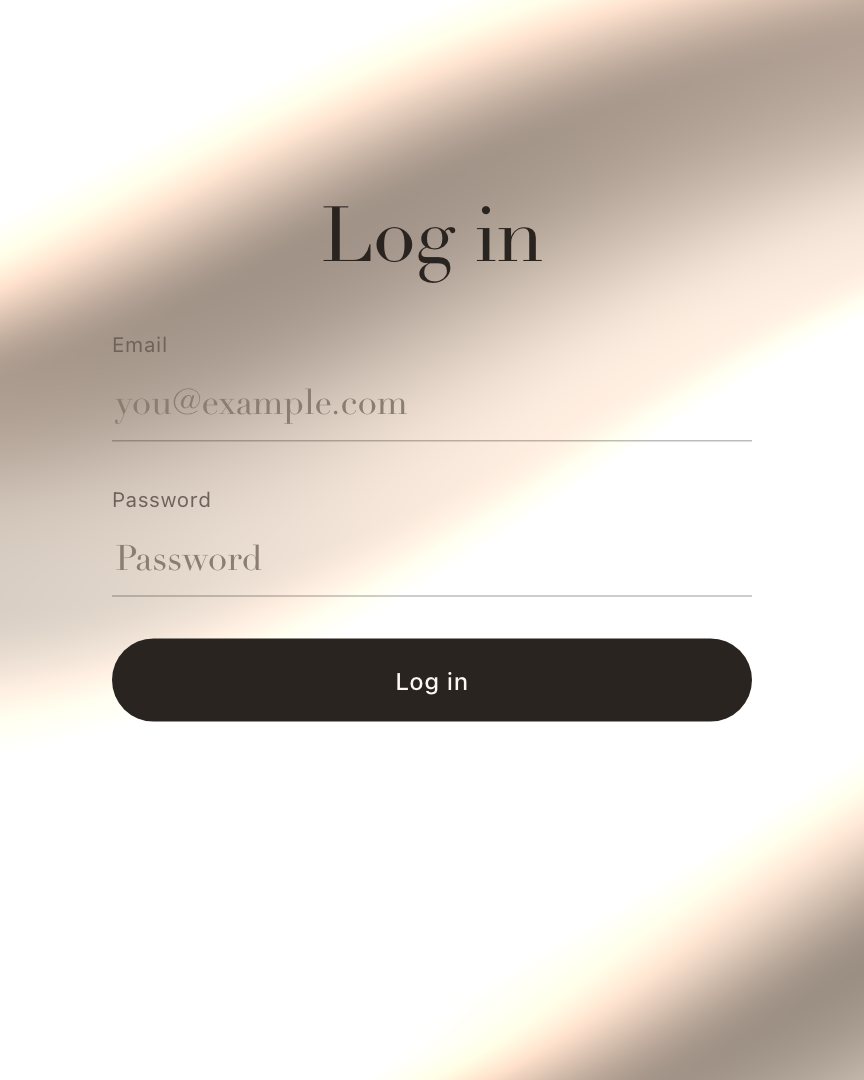
Кнопка входа, которая раскалывается на два поля на настоящей пружине. Всей формой управляет одна CSS-переменная.
- Вход и формы
- Бесплатно
- spring
- Добавлен 11 сентября 2026
<style>
:root { --smoke: #7a8290; --paper: #f3f5f8; --emerald: #34d399; }
/* One variable --g drives the whole form, 0 is the button, 1 is two fields */
.login {
  --g: 0; --mx: 70px; --my: -6px;
  --m: min(1, calc(var(--g) * 1.6));             /* metal to field */
  --open: min(1, calc(var(--g) * 4));            /* how far the seam has opened */
  --w: calc(240px + 80px * var(--g));
  --h: calc(29px + 35px * var(--g));
  --r-out: max(16px, calc(29px - 11px * var(--g)));
  --r-in: calc(18px * min(1, var(--g)));
  position: relative; width: 320px; height: 152px;
}

.half {
  position: absolute; left: 50%; width: var(--w); height: var(--h);
  margin-left: calc(var(--w) / -2); overflow: hidden;
  transition: transform .12s;
}
.top {
  bottom: calc(50% + 6px * var(--g)); transform-origin: 50% 100%;
  border-radius: var(--r-out) var(--r-out) var(--r-in) var(--r-in);
  box-shadow: 0 0 0 1px rgba(255,255,255, calc(.1 * var(--m))),
    inset 0 1px 0 rgba(255,255,255, calc(.75 * (1 - var(--m)))),
    inset 0 -1px 0 rgba(0,0,0, calc(.3 * (1 - var(--m)) * var(--open))),
    0 18px 34px -14px rgba(3,6,10, calc(.85 * min(1, var(--g) * 3)));
}
.bot {
  top: calc(50% + 6px * var(--g)); transform-origin: 50% 0;
  border-radius: var(--r-in) var(--r-in) var(--r-out) var(--r-out);
  box-shadow: 0 0 0 1px rgba(255,255,255, calc(.1 * var(--m))),
    inset 0 1px 0 rgba(255,255,255, calc(.75 * (1 - var(--m)) * var(--open))),
    inset 0 -1px 0 rgba(0,0,0, calc(.3 * (1 - var(--m)))),
    0 18px 34px -14px rgba(3,6,10,.85);
}
.half:focus-within {
  box-shadow: 0 0 0 1px rgba(52,211,153,.55), 0 0 0 4px rgba(52,211,153,.12), 0 18px 34px -14px rgba(3,6,10,.85);
}
.login:has(.face:active) .half { transform: scale(.97); }

/* material layers */
.half > i { position: absolute; inset: 0; }
.glass { background: linear-gradient(#222731, #1b1f27); }
.metal {
  opacity: calc(1 - var(--m)); background-color: #cdd2d9;
  background-image: repeating-linear-gradient(0deg, rgba(255,255,255,.022) 0 1px, transparent 1px 2px),
    linear-gradient(#edf0f4, #d6dbe1 38%, #c5cbd3 62%, #dadee4);
  background-size: 100% 58px; background-repeat: repeat, no-repeat;
}
.bot .metal { background-position: 0 -29px; }
.spec {
  opacity: calc(.9 * (1 - var(--m)));
  background: radial-gradient(150px 70px at var(--mx) var(--my), rgba(255,255,255,.55), transparent 70%);
}
.bot .spec { background: radial-gradient(150px 70px at var(--mx) calc(var(--my) - 29px), rgba(255,255,255,.55), transparent 70%); }
.tint { background: rgba(52,211,153,.11); mix-blend-mode: color; opacity: 0; transition: opacity .4s; }
.login[data-state="done"] .tint { opacity: .8; }

/* fields */
.field { position: absolute; inset: 0; opacity: clamp(0, calc((var(--g) - .55) / .35), 1); }
.field label { position: absolute; left: 18px; top: 11px; font-size: 12px; font-weight: 500; color: var(--smoke); }
.field input {
  position: absolute; left: 18px; right: 18px; bottom: 9px; padding: 0;
  background: none; border: 0; outline: 0; caret-color: var(--emerald);
  font: 500 17px system-ui, sans-serif; letter-spacing: -.01em; color: var(--paper);
}
.login[data-state="idle"] input, .login[data-state="done"] input { visibility: hidden; }

/* button face */
.face {
  position: absolute; left: 50%; top: 50%; z-index: 2; width: 240px; height: 58px;
  margin: -29px 0 0 -120px; border: 0; border-radius: 29px; background: none; cursor: pointer;
  display: flex; align-items: center; justify-content: center; gap: 8px;
  font: 600 17px system-ui, sans-serif; letter-spacing: -.015em; color: #1a1d23;
  text-shadow: 0 1px 0 rgba(255,255,255,.55);
  opacity: clamp(0, calc(1 - var(--g) * 5), 1);
}
.face:focus-visible { outline: 2px solid var(--emerald); outline-offset: 4px; }
.login[data-state="open"] .face, .login[data-state="loading"] .face { pointer-events: none; }
.login[data-state="loading"] .text { visibility: hidden; }
.check { width: 0; height: 18px; opacity: 0; transition: width .2s, opacity .2s; }
.check path { fill: none; stroke: #0e7a55; stroke-width: 2.2; stroke-linecap: round; stroke-linejoin: round;
  stroke-dasharray: 18; stroke-dashoffset: 18; transition: stroke-dashoffset .35s .15s; }
.login[data-state="done"] .check { width: 18px; opacity: 1; }
.login[data-state="done"] .check path { stroke-dashoffset: 0; }

/* seam, a flash on open and a running light while loading */
.seam {
  position: absolute; left: 50%; top: 50%; z-index: 1; width: 210px; height: 2px;
  margin: -1px 0 0 -105px; border-radius: 2px; pointer-events: none; opacity: 0;
  background: linear-gradient(90deg, transparent, #eaf6ff 30%, #eaf6ff 70%, transparent);
  box-shadow: 0 0 12px 2px rgba(210,236,255,.55);
}
.login.flash .seam { animation: flash .45s ease-out; }
.login[data-state="loading"] .seam {
  opacity: 1; background: linear-gradient(90deg, transparent 30%, #eaf6ff 50%, transparent 70%);
  background-size: 200% 100%; animation: scan .9s linear infinite;
}
@keyframes flash { from { opacity: 1; } to { opacity: 0; } }
@keyframes scan { from { background-position: 100% 0; } to { background-position: -100% 0; } }

/* success halo and floor shadow */
.login::before {
  content: ""; position: absolute; left: 50%; top: 50%; width: calc(var(--w) * 1.7); height: 110px;
  margin: -55px 0 0 calc(var(--w) * -.85); border-radius: 50%; opacity: 0; transition: opacity .5s;
  background: radial-gradient(closest-side, rgba(52,211,153,.16), transparent);
}
.login[data-state="done"]::before { opacity: 1; }
.login::after {
  content: ""; position: absolute; z-index: -1; left: 50%; top: calc(50% + 51px + 41px * var(--g));
  width: calc(var(--w) * 1.25); height: 34px; margin-left: calc(var(--w) * -.625); border-radius: 50%;
  background: radial-gradient(closest-side, rgba(0,0,0,.34), transparent); filter: blur(6px);
}

@media (prefers-reduced-motion: reduce) { .seam { animation: none !important; } }
</style>

<form class="login" data-state="idle" autocomplete="on">
  <div class="half top"><i class="glass"></i><i class="metal"></i><i class="tint"></i><i class="spec"></i>
    <div class="field"><label for="email">Email</label><input id="email" type="email" autocomplete="username"></div></div>
  <div class="half bot"><i class="glass"></i><i class="metal"></i><i class="tint"></i><i class="spec"></i>
    <div class="field"><label for="password">Password</label><input id="password" type="password" autocomplete="current-password"></div></div>
  <div class="seam"></div>
  <button class="face" type="button">
    <svg class="check" viewBox="0 0 18 18" aria-hidden="true"><path d="M3.5 9.6 7.3 13.2 14.5 5.2"/></svg>
    <span class="text">Sign in</span>
  </button>
</form>

<script>
// Spring. k is stiffness (higher is faster), damping is friction (lower is bouncier)
const spring = { k: 170, damping: 16 };

const form = document.querySelector('.login');
const face = form.querySelector('.face');
const text = form.querySelector('.text');
const email = form.querySelector('#email');
const pass = form.querySelector('#password');
const reduceMotion = matchMedia('(prefers-reduced-motion: reduce)').matches;

let g = 0, raf = 0;
const setG = v => { g = v; form.style.setProperty('--g', v.toFixed(4)); };
const setState = s => { form.dataset.state = s; };

// Moves --g toward the target with a damped spring
function springTo(target, onDone) {
cancelAnimationFrame(raf);
if (reduceMotion) { setG(target); onDone?.(); return; }
const from = g, start = performance.now();
const w0 = Math.sqrt(spring.k), z = spring.damping / (2 * w0), wd = w0 * Math.sqrt(1 - z * z);
const tick = now => {
  const t = (now - start) / 1000;
  const x = 1 - Math.exp(-z * w0 * t) * (Math.cos(wd * t) + (z * w0 / wd) * Math.sin(wd * t));
  setG(from + (target - from) * x);
  if (t < 1) raf = requestAnimationFrame(tick);
  else { setG(target); onDone?.(); }
};
raf = requestAnimationFrame(tick);
}

face.addEventListener('click', () => {
if (form.dataset.state === 'done') {             // second click goes back to the button
  form.reset(); text.textContent = 'Sign in'; setState('idle'); return;
}
if (form.dataset.state !== 'idle') return;
setState('open');
form.classList.remove('flash'); void form.offsetWidth; form.classList.add('flash');
springTo(1);
setTimeout(() => email.focus(), 200);
});

email.addEventListener('keydown', e => {
if (e.key === 'Enter') { e.preventDefault(); pass.focus(); }
});

// Enter in the password field submits the form. The browser will not do it by itself
// because the form has two fields and no type="submit" button
pass.addEventListener('keydown', e => {
if (e.key === 'Enter') { e.preventDefault(); form.requestSubmit(); }
});

form.addEventListener('submit', e => {
e.preventDefault();
if (form.dataset.state !== 'open') return;
setState('loading');
document.activeElement.blur();
// a real server request goes here, for now a 1.2 s pause
springTo(0, () => setTimeout(() => { text.textContent = 'Signed in'; setState('done'); }, 1200));
});

form.addEventListener('keydown', e => {
if (e.key === 'Escape' && form.dataset.state === 'open') { setState('idle'); springTo(0); }
});

// The highlight on the metal follows the cursor
form.addEventListener('pointermove', e => {
const r = face.getBoundingClientRect();
form.style.setProperty('--mx', `${e.clientX - r.left}px`);
form.style.setProperty('--my', `${e.clientY - r.top}px`);
});
</script>
Нажмите на кнопку, введите почту и пароль, нажмите Enter.
Что можно поменять
Поменяйте число, сохраните файл и обновите страницу, разница будет видна сразу.
k170Жёсткость пружины. Чем больше, тем быстрее открывается.
damping16Трение пружины. При 8 капсула пружинит. Держите меньше 26.
Как поставить на свой сайт
Поставьте туда, где должна быть кнопка или форма входа.
Комментарии в коде на английском, так файл понятен любому разработчику.
CSS
Вставьте в свой файл стилей или в тег <style> внутри <head>.
:root { --smoke: #7a8290; --paper: #f3f5f8; --emerald: #34d399; }
/* One variable --g drives the whole form, 0 is the button, 1 is two fields */
.login {
  --g: 0; --mx: 70px; --my: -6px;
  --m: min(1, calc(var(--g) * 1.6));             /* metal to field */
  --open: min(1, calc(var(--g) * 4));            /* how far the seam has opened */
  --w: calc(240px + 80px * var(--g));
  --h: calc(29px + 35px * var(--g));
  --r-out: max(16px, calc(29px - 11px * var(--g)));
  --r-in: calc(18px * min(1, var(--g)));
  position: relative; width: 320px; height: 152px;
}

.half {
  position: absolute; left: 50%; width: var(--w); height: var(--h);
  margin-left: calc(var(--w) / -2); overflow: hidden;
  transition: transform .12s;
}
.top {
  bottom: calc(50% + 6px * var(--g)); transform-origin: 50% 100%;
  border-radius: var(--r-out) var(--r-out) var(--r-in) var(--r-in);
  box-shadow: 0 0 0 1px rgba(255,255,255, calc(.1 * var(--m))),
    inset 0 1px 0 rgba(255,255,255, calc(.75 * (1 - var(--m)))),
    inset 0 -1px 0 rgba(0,0,0, calc(.3 * (1 - var(--m)) * var(--open))),
    0 18px 34px -14px rgba(3,6,10, calc(.85 * min(1, var(--g) * 3)));
}
.bot {
  top: calc(50% + 6px * var(--g)); transform-origin: 50% 0;
  border-radius: var(--r-in) var(--r-in) var(--r-out) var(--r-out);
  box-shadow: 0 0 0 1px rgba(255,255,255, calc(.1 * var(--m))),
    inset 0 1px 0 rgba(255,255,255, calc(.75 * (1 - var(--m)) * var(--open))),
    inset 0 -1px 0 rgba(0,0,0, calc(.3 * (1 - var(--m)))),
    0 18px 34px -14px rgba(3,6,10,.85);
}
.half:focus-within {
  box-shadow: 0 0 0 1px rgba(52,211,153,.55), 0 0 0 4px rgba(52,211,153,.12), 0 18px 34px -14px rgba(3,6,10,.85);
}
.login:has(.face:active) .half { transform: scale(.97); }

/* material layers */
.half > i { position: absolute; inset: 0; }
.glass { background: linear-gradient(#222731, #1b1f27); }
.metal {
  opacity: calc(1 - var(--m)); background-color: #cdd2d9;
  background-image: repeating-linear-gradient(0deg, rgba(255,255,255,.022) 0 1px, transparent 1px 2px),
    linear-gradient(#edf0f4, #d6dbe1 38%, #c5cbd3 62%, #dadee4);
  background-size: 100% 58px; background-repeat: repeat, no-repeat;
}
.bot .metal { background-position: 0 -29px; }
.spec {
  opacity: calc(.9 * (1 - var(--m)));
  background: radial-gradient(150px 70px at var(--mx) var(--my), rgba(255,255,255,.55), transparent 70%);
}
.bot .spec { background: radial-gradient(150px 70px at var(--mx) calc(var(--my) - 29px), rgba(255,255,255,.55), transparent 70%); }
.tint { background: rgba(52,211,153,.11); mix-blend-mode: color; opacity: 0; transition: opacity .4s; }
.login[data-state="done"] .tint { opacity: .8; }

/* fields */
.field { position: absolute; inset: 0; opacity: clamp(0, calc((var(--g) - .55) / .35), 1); }
.field label { position: absolute; left: 18px; top: 11px; font-size: 12px; font-weight: 500; color: var(--smoke); }
.field input {
  position: absolute; left: 18px; right: 18px; bottom: 9px; padding: 0;
  background: none; border: 0; outline: 0; caret-color: var(--emerald);
  font: 500 17px system-ui, sans-serif; letter-spacing: -.01em; color: var(--paper);
}
.login[data-state="idle"] input, .login[data-state="done"] input { visibility: hidden; }

/* button face */
.face {
  position: absolute; left: 50%; top: 50%; z-index: 2; width: 240px; height: 58px;
  margin: -29px 0 0 -120px; border: 0; border-radius: 29px; background: none; cursor: pointer;
  display: flex; align-items: center; justify-content: center; gap: 8px;
  font: 600 17px system-ui, sans-serif; letter-spacing: -.015em; color: #1a1d23;
  text-shadow: 0 1px 0 rgba(255,255,255,.55);
  opacity: clamp(0, calc(1 - var(--g) * 5), 1);
}
.face:focus-visible { outline: 2px solid var(--emerald); outline-offset: 4px; }
.login[data-state="open"] .face, .login[data-state="loading"] .face { pointer-events: none; }
.login[data-state="loading"] .text { visibility: hidden; }
.check { width: 0; height: 18px; opacity: 0; transition: width .2s, opacity .2s; }
.check path { fill: none; stroke: #0e7a55; stroke-width: 2.2; stroke-linecap: round; stroke-linejoin: round;
  stroke-dasharray: 18; stroke-dashoffset: 18; transition: stroke-dashoffset .35s .15s; }
.login[data-state="done"] .check { width: 18px; opacity: 1; }
.login[data-state="done"] .check path { stroke-dashoffset: 0; }

/* seam, a flash on open and a running light while loading */
.seam {
  position: absolute; left: 50%; top: 50%; z-index: 1; width: 210px; height: 2px;
  margin: -1px 0 0 -105px; border-radius: 2px; pointer-events: none; opacity: 0;
  background: linear-gradient(90deg, transparent, #eaf6ff 30%, #eaf6ff 70%, transparent);
  box-shadow: 0 0 12px 2px rgba(210,236,255,.55);
}
.login.flash .seam { animation: flash .45s ease-out; }
.login[data-state="loading"] .seam {
  opacity: 1; background: linear-gradient(90deg, transparent 30%, #eaf6ff 50%, transparent 70%);
  background-size: 200% 100%; animation: scan .9s linear infinite;
}
@keyframes flash { from { opacity: 1; } to { opacity: 0; } }
@keyframes scan { from { background-position: 100% 0; } to { background-position: -100% 0; } }

/* success halo and floor shadow */
.login::before {
  content: ""; position: absolute; left: 50%; top: 50%; width: calc(var(--w) * 1.7); height: 110px;
  margin: -55px 0 0 calc(var(--w) * -.85); border-radius: 50%; opacity: 0; transition: opacity .5s;
  background: radial-gradient(closest-side, rgba(52,211,153,.16), transparent);
}
.login[data-state="done"]::before { opacity: 1; }
.login::after {
  content: ""; position: absolute; z-index: -1; left: 50%; top: calc(50% + 51px + 41px * var(--g));
  width: calc(var(--w) * 1.25); height: 34px; margin-left: calc(var(--w) * -.625); border-radius: 50%;
  background: radial-gradient(closest-side, rgba(0,0,0,.34), transparent); filter: blur(6px);
}

@media (prefers-reduced-motion: reduce) { .seam { animation: none !important; } }
HTML
Поставьте в то место страницы, где должен быть эффект.
<form class="login" data-state="idle" autocomplete="on">
  <div class="half top"><i class="glass"></i><i class="metal"></i><i class="tint"></i><i class="spec"></i>
    <div class="field"><label for="email">Email</label><input id="email" type="email" autocomplete="username"></div></div>
  <div class="half bot"><i class="glass"></i><i class="metal"></i><i class="tint"></i><i class="spec"></i>
    <div class="field"><label for="password">Password</label><input id="password" type="password" autocomplete="current-password"></div></div>
  <div class="seam"></div>
  <button class="face" type="button">
    <svg class="check" viewBox="0 0 18 18" aria-hidden="true"><path d="M3.5 9.6 7.3 13.2 14.5 5.2"/></svg>
    <span class="text">Sign in</span>
  </button>
</form>
JavaScript
Вставьте перед закрывающим тегом </body>, внутри <script></script>.
// Spring. k is stiffness (higher is faster), damping is friction (lower is bouncier)
const spring = { k: 170, damping: 16 };

const form = document.querySelector('.login');
const face = form.querySelector('.face');
const text = form.querySelector('.text');
const email = form.querySelector('#email');
const pass = form.querySelector('#password');
const reduceMotion = matchMedia('(prefers-reduced-motion: reduce)').matches;

let g = 0, raf = 0;
const setG = v => { g = v; form.style.setProperty('--g', v.toFixed(4)); };
const setState = s => { form.dataset.state = s; };

// Moves --g toward the target with a damped spring
function springTo(target, onDone) {
cancelAnimationFrame(raf);
if (reduceMotion) { setG(target); onDone?.(); return; }
const from = g, start = performance.now();
const w0 = Math.sqrt(spring.k), z = spring.damping / (2 * w0), wd = w0 * Math.sqrt(1 - z * z);
const tick = now => {
  const t = (now - start) / 1000;
  const x = 1 - Math.exp(-z * w0 * t) * (Math.cos(wd * t) + (z * w0 / wd) * Math.sin(wd * t));
  setG(from + (target - from) * x);
  if (t < 1) raf = requestAnimationFrame(tick);
  else { setG(target); onDone?.(); }
};
raf = requestAnimationFrame(tick);
}

face.addEventListener('click', () => {
if (form.dataset.state === 'done') {             // second click goes back to the button
  form.reset(); text.textContent = 'Sign in'; setState('idle'); return;
}
if (form.dataset.state !== 'idle') return;
setState('open');
form.classList.remove('flash'); void form.offsetWidth; form.classList.add('flash');
springTo(1);
setTimeout(() => email.focus(), 200);
});

email.addEventListener('keydown', e => {
if (e.key === 'Enter') { e.preventDefault(); pass.focus(); }
});

// Enter in the password field submits the form. The browser will not do it by itself
// because the form has two fields and no type="submit" button
pass.addEventListener('keydown', e => {
if (e.key === 'Enter') { e.preventDefault(); form.requestSubmit(); }
});

form.addEventListener('submit', e => {
e.preventDefault();
if (form.dataset.state !== 'open') return;
setState('loading');
document.activeElement.blur();
// a real server request goes here, for now a 1.2 s pause
springTo(0, () => setTimeout(() => { text.textContent = 'Signed in'; setState('done'); }, 1200));
});

form.addEventListener('keydown', e => {
if (e.key === 'Escape' && form.dataset.state === 'open') { setState('idle'); springTo(0); }
});

// The highlight on the metal follows the cursor
form.addEventListener('pointermove', e => {
const r = face.getBoundingClientRect();
form.style.setProperty('--mx', `${e.clientX - r.left}px`);
form.style.setProperty('--my', `${e.clientY - r.top}px`);
});
Подключение к серверу
Найдите в скрипте строку a real server request goes here и вставьте туда свой fetch() входа.
Tilda, Webflow, WordPress
Нажмите «Скопировать весь код» вверху и вставьте его в один HTML-блок.
Добавить блок, Другое, T123 HTML-код. Вставьте и сохраните. Проверяйте на опубликованной странице, в редакторе скрипты не запускаются.
Панель Add, Embed. Вставьте и нажмите Save & Close. Свой код работает на опубликованном сайте.
Добавить блок, Произвольный HTML. Вставьте и нажмите «Обновить».