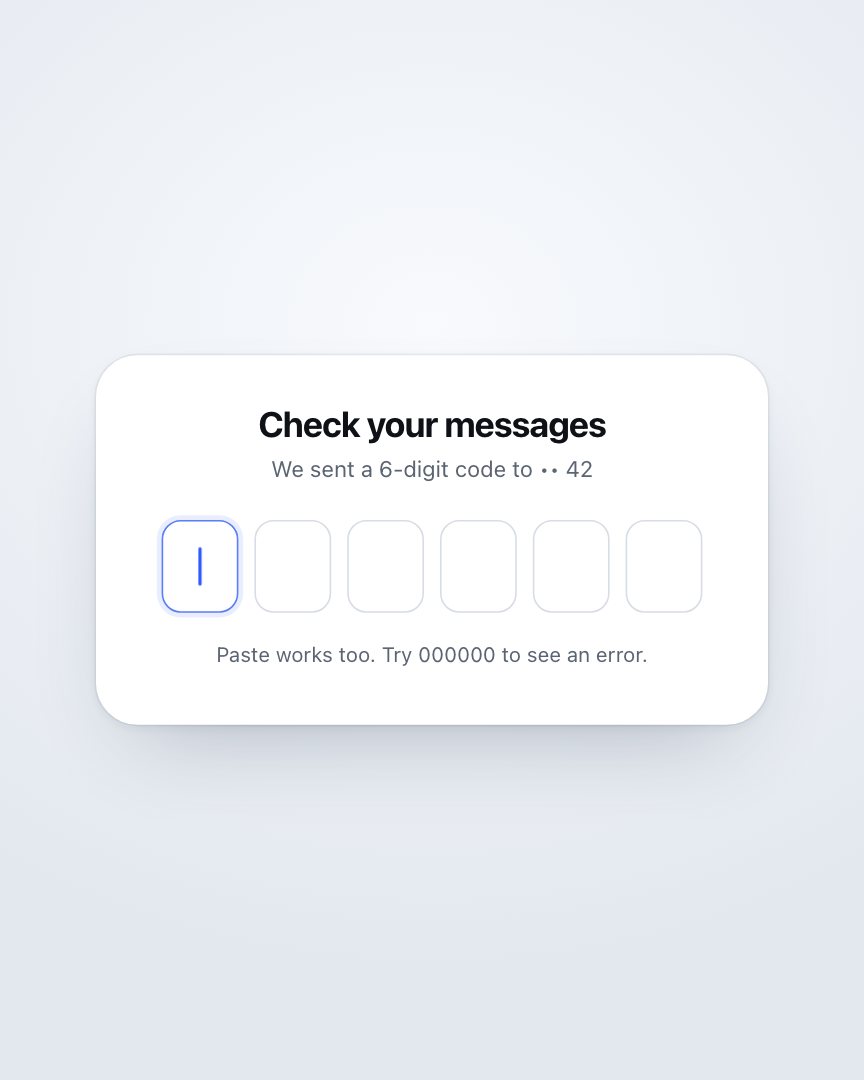
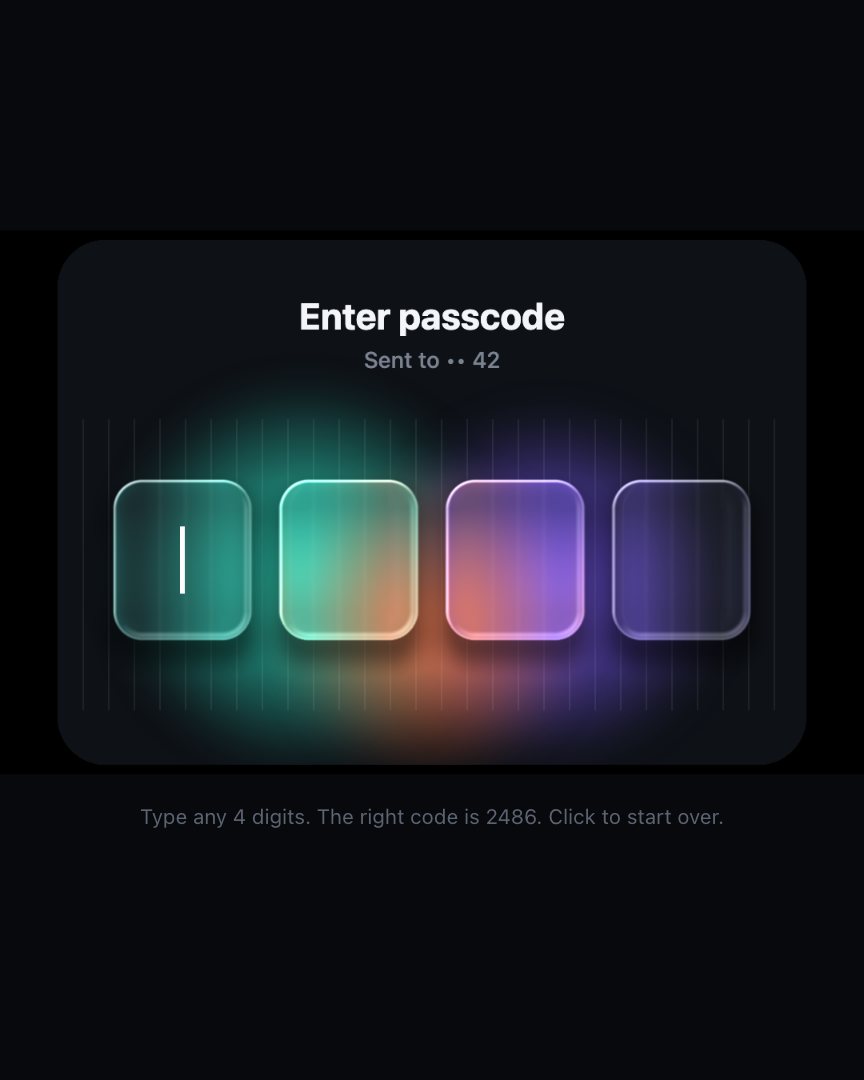
OTP Code Input
The code arrives in the Dynamic Island, the suggestion above the keyboard fills it in, the digits fly into their cells and melt into one green pill once the code is checked.
- Codes & PIN
- Free
- spring
- Added Sep 14, 2026
<style>
.island { position: fixed; left: 50%; top: 14px; translate: -50% 0; width: 112px; height: 32px; border-radius: 999px; background: #000; overflow: hidden; z-index: 10;
  display: flex; align-items: center; gap: 12px; padding: 0 14px; box-sizing: border-box; box-shadow: 0 0 0 1px rgba(255,255,255,.06);
  transition: width .5s cubic-bezier(.32, .72, 0, 1), height .5s cubic-bezier(.32, .72, 0, 1); }
.island.open { width: min(364px, 92vw); height: 64px; }
.island.done { width: 230px; height: 44px; }
.island .icon { flex: none; width: 36px; height: 36px; border-radius: 10px; background: #30D158; opacity: 0; transition: opacity .2s ease, border-radius .3s ease, width .3s ease, height .3s ease; }
.island.done .icon { width: 22px; height: 22px; border-radius: 50%; }
.island .text { opacity: 0; white-space: nowrap; font-size: 14px; font-weight: 600; transition: opacity .2s ease; }
.island .text small { display: block; font-size: 11px; color: rgba(235,235,245,.6); }
.island .text b { font-family: Menlo, monospace; }
.island.open .icon, .island.open .text, .island.done .icon, .island.done .text { opacity: 1; transition-delay: .16s; }

.otp { width: min(400px, 92vw); text-align: center; }
.otp h2 { margin: 0; font-size: 24px; letter-spacing: -.01em; }
.otp p { margin: 6px 0 26px; color: rgba(160,165,180,.85); font-size: 13px; }
.cells { position: relative; display: flex; justify-content: center; gap: 10px; height: 62px; }
.cells input { position: absolute; inset: 0; width: 100%; opacity: 0; font-size: 16px; z-index: 2; }
.cell { width: 50px; height: 62px; box-sizing: border-box; border-radius: 14px; background: #1C1E28; border: 1.6px solid rgba(255,255,255,.10);
  display: grid; place-items: center; font: 700 28px Menlo, monospace; color: #F4F5F9;
  transition: border-color .15s ease, box-shadow .3s ease; }
.cell.active { border-color: #5A8CFF; }
.cell.land { animation: land .5s cubic-bezier(.23, 1, .32, 1); border-color: #5A8CFF; box-shadow: 0 0 0 5px rgba(80,140,255,.28); }
@keyframes land { 0% { transform: scale(1.14); } 40% { transform: scale(.96); } 100% { transform: scale(1); } }

/* success: the six cells melt into one pill */
.pill { position: absolute; left: 50%; top: 0; width: 360px; height: 62px; translate: -50% 0; border-radius: 14px; background: #30D158; opacity: 0; pointer-events: none;
  display: grid; place-items: center; transition: width .5s cubic-bezier(.77, 0, .175, 1), border-radius .5s cubic-bezier(.77, 0, .175, 1), opacity .25s ease; }
.pill svg { width: 30px; height: 30px; stroke: #03140A; stroke-width: 3.4; fill: none; stroke-linecap: round; stroke-linejoin: round; stroke-dasharray: 40; stroke-dashoffset: 40; }
.otp.ok .pill { opacity: 1; width: 210px; border-radius: 31px; }
.otp.ok .pill svg { transition: stroke-dashoffset .3s .35s ease-out; stroke-dashoffset: 0; }
.otp.ok .cell { opacity: 0; transition: opacity .2s ease; }

.flying { position: fixed; left: 0; top: 0; font: 700 26px Menlo, monospace; color: #fff; pointer-events: none; z-index: 20; text-shadow: 0 0 18px rgba(90,140,255,.9); }

/* demo of the iOS suggestion bar above the keyboard */
.suggest { margin-top: 34px; display: inline-grid; justify-items: center; gap: 1px; padding: 8px 26px; border-radius: 18px; border: 1.5px solid rgba(90,140,255,.5);
  background: rgba(255,255,255,.08); color: #fff; font: 700 15px Menlo, monospace; cursor: pointer; transition: transform .12s cubic-bezier(.23, 1, .32, 1), opacity .25s ease; }
.suggest small { font: 600 10px system-ui, sans-serif; color: rgba(200,205,220,.75); }
.suggest:active { transform: scale(.95); }
.suggest.used { opacity: .25; pointer-events: none; }
.suggest:focus-visible { outline: 2px solid #5A8CFF; outline-offset: 3px; }

@media (prefers-reduced-motion: reduce) {
  .cell.land { animation: none; }
  .pill, .island { transition-duration: .01s; }
}
</style>

<div class="island" aria-live="polite"><span class="icon"></span><span class="text"></span></div>

<form class="otp" novalidate>
  <h2>Enter the code</h2>
  <p>Sent to •• 42</p>
  <div class="cells">
    <input autocomplete="one-time-code" inputmode="numeric" maxlength="6" aria-label="6-digit code">
    <div class="cell active"></div><div class="cell"></div><div class="cell"></div><div class="cell"></div><div class="cell"></div><div class="cell"></div>
    <div class="pill" aria-hidden="true"><svg viewBox="0 0 30 30"><path d="M7 15.5l5.5 5.5L23 10"/></svg></div>
  </div>
  <button type="button" class="suggest" aria-label="Fill code from Messages"><small>From Messages</small>482 917</button>
</form>

<script>
const CODE = '482917';
const STAGGER = 70;

const island = document.querySelector('.island');
const form = document.querySelector('.otp');
const input = form.querySelector('input');
const cells = [...form.querySelectorAll('.cell')];
const chip = form.querySelector('.suggest');
const reduce = matchMedia('(prefers-reduced-motion: reduce)').matches;

island.expand = text => {
  const done = text === 'Signed in';
  island.querySelector('.text').innerHTML = done ? text : `<small>Messages · now</small>Your code is <b>482 917</b>`;
  island.classList.remove('open', 'done');
  island.classList.add(done ? 'done' : 'open');
};
island.close = () => island.classList.remove('open');          // «Signed in» stays until the page moves on

cells.merge = () => {
  form.classList.add('ok');
  form.querySelector('h2').textContent = "You're in";
  form.querySelector('p').textContent = 'Signed in on this iPhone';
};

const verify = async code => code === CODE;                 // a real request to your server goes here

function paint() {
  const v = input.value;
  cells.forEach((c, i) => c.classList.toggle('active', i === Math.min(v.length, 5) && !form.classList.contains('ok')));
}

// a digit leaves its source along an arc and lands in its cell
function fly(digit, from, cell) {
  if (cell.textContent === digit) return;                    // this digit is already in place
  const land = () => { cell.textContent = digit; cell.classList.remove('land'); void cell.offsetWidth; cell.classList.add('land'); };
  if (reduce) return land();
  const a = from.getBoundingClientRect(), b = cell.getBoundingClientRect();
  const x0 = a.left + a.width / 2 - 8, y0 = a.top + a.height / 2 - 16, x1 = b.left + b.width / 2 - 8, y1 = b.top + b.height / 2 - 16;
  const el = document.createElement('span'); el.className = 'flying'; el.textContent = digit; document.body.append(el);
  const mx = (x0 + x1) / 2, my = Math.min(y0, y1) - 70;
  el.animate([
    { transform: `translate(${x0}px, ${y0}px) scale(.95)` },
    { transform: `translate(${mx}px, ${my}px) scale(1.3)`, offset: .5 },
    { transform: `translate(${x1}px, ${y1}px) scale(1)` },
  ], { duration: 340, easing: 'cubic-bezier(.23, 1, .32, 1)' }).onfinish = () => { el.remove(); land(); };
}

input.addEventListener('input', async () => {
  input.value = input.value.replace(/\D/g, '').slice(0, 6);
  cells.forEach((c, i) => { if (!input.value[i]) c.textContent = ''; });
  paint();
  if (input.value.length < 6) return;
  setTimeout(async () => {
    if (await verify(input.value)) {
      cells.merge();
      island.expand('Signed in');
      chip.classList.add('used');
    }
  }, 6 * STAGGER + 420);
});

input.oninput = () =>
  [...input.value].forEach((digit, i) =>
    setTimeout(() =>
      fly(digit, chip, cells[i]),
    i * STAGGER));

// the demo chip fills the input like the iOS suggestion would
chip.onclick = () => {
  chip.classList.add('used');
  input.value = CODE;
  input.dispatchEvent(new Event('input'));
};

setTimeout(() => island.expand('code'), 500);
setTimeout(() => island.close(), 2600);
paint();
</script>
Tap the From Messages suggestion, or type 482917.
What you can change
Change a number, save, and reload the page to see the difference.
STAGGER70Milliseconds between flying digits.
autocompleteone-time-codeMakes iPhone offer the code from SMS above the keyboard.
verifyasync functionReplace it with a request to your server.
Add it to your site
Sign in, two factor and phone confirmation screens.
CSS
Paste into your stylesheet, or inside a <style> tag in <head>.
.island { position: fixed; left: 50%; top: 14px; translate: -50% 0; width: 112px; height: 32px; border-radius: 999px; background: #000; overflow: hidden; z-index: 10;
  display: flex; align-items: center; gap: 12px; padding: 0 14px; box-sizing: border-box; box-shadow: 0 0 0 1px rgba(255,255,255,.06);
  transition: width .5s cubic-bezier(.32, .72, 0, 1), height .5s cubic-bezier(.32, .72, 0, 1); }
.island.open { width: min(364px, 92vw); height: 64px; }
.island.done { width: 230px; height: 44px; }
.island .icon { flex: none; width: 36px; height: 36px; border-radius: 10px; background: #30D158; opacity: 0; transition: opacity .2s ease, border-radius .3s ease, width .3s ease, height .3s ease; }
.island.done .icon { width: 22px; height: 22px; border-radius: 50%; }
.island .text { opacity: 0; white-space: nowrap; font-size: 14px; font-weight: 600; transition: opacity .2s ease; }
.island .text small { display: block; font-size: 11px; color: rgba(235,235,245,.6); }
.island .text b { font-family: Menlo, monospace; }
.island.open .icon, .island.open .text, .island.done .icon, .island.done .text { opacity: 1; transition-delay: .16s; }

.otp { width: min(400px, 92vw); text-align: center; }
.otp h2 { margin: 0; font-size: 24px; letter-spacing: -.01em; }
.otp p { margin: 6px 0 26px; color: rgba(160,165,180,.85); font-size: 13px; }
.cells { position: relative; display: flex; justify-content: center; gap: 10px; height: 62px; }
.cells input { position: absolute; inset: 0; width: 100%; opacity: 0; font-size: 16px; z-index: 2; }
.cell { width: 50px; height: 62px; box-sizing: border-box; border-radius: 14px; background: #1C1E28; border: 1.6px solid rgba(255,255,255,.10);
  display: grid; place-items: center; font: 700 28px Menlo, monospace; color: #F4F5F9;
  transition: border-color .15s ease, box-shadow .3s ease; }
.cell.active { border-color: #5A8CFF; }
.cell.land { animation: land .5s cubic-bezier(.23, 1, .32, 1); border-color: #5A8CFF; box-shadow: 0 0 0 5px rgba(80,140,255,.28); }
@keyframes land { 0% { transform: scale(1.14); } 40% { transform: scale(.96); } 100% { transform: scale(1); } }

/* success: the six cells melt into one pill */
.pill { position: absolute; left: 50%; top: 0; width: 360px; height: 62px; translate: -50% 0; border-radius: 14px; background: #30D158; opacity: 0; pointer-events: none;
  display: grid; place-items: center; transition: width .5s cubic-bezier(.77, 0, .175, 1), border-radius .5s cubic-bezier(.77, 0, .175, 1), opacity .25s ease; }
.pill svg { width: 30px; height: 30px; stroke: #03140A; stroke-width: 3.4; fill: none; stroke-linecap: round; stroke-linejoin: round; stroke-dasharray: 40; stroke-dashoffset: 40; }
.otp.ok .pill { opacity: 1; width: 210px; border-radius: 31px; }
.otp.ok .pill svg { transition: stroke-dashoffset .3s .35s ease-out; stroke-dashoffset: 0; }
.otp.ok .cell { opacity: 0; transition: opacity .2s ease; }

.flying { position: fixed; left: 0; top: 0; font: 700 26px Menlo, monospace; color: #fff; pointer-events: none; z-index: 20; text-shadow: 0 0 18px rgba(90,140,255,.9); }

/* demo of the iOS suggestion bar above the keyboard */
.suggest { margin-top: 34px; display: inline-grid; justify-items: center; gap: 1px; padding: 8px 26px; border-radius: 18px; border: 1.5px solid rgba(90,140,255,.5);
  background: rgba(255,255,255,.08); color: #fff; font: 700 15px Menlo, monospace; cursor: pointer; transition: transform .12s cubic-bezier(.23, 1, .32, 1), opacity .25s ease; }
.suggest small { font: 600 10px system-ui, sans-serif; color: rgba(200,205,220,.75); }
.suggest:active { transform: scale(.95); }
.suggest.used { opacity: .25; pointer-events: none; }
.suggest:focus-visible { outline: 2px solid #5A8CFF; outline-offset: 3px; }

@media (prefers-reduced-motion: reduce) {
  .cell.land { animation: none; }
  .pill, .island { transition-duration: .01s; }
}
HTML
Put it where the effect should appear on your page.
<div class="island" aria-live="polite"><span class="icon"></span><span class="text"></span></div>

<form class="otp" novalidate>
  <h2>Enter the code</h2>
  <p>Sent to •• 42</p>
  <div class="cells">
    <input autocomplete="one-time-code" inputmode="numeric" maxlength="6" aria-label="6-digit code">
    <div class="cell active"></div><div class="cell"></div><div class="cell"></div><div class="cell"></div><div class="cell"></div><div class="cell"></div>
    <div class="pill" aria-hidden="true"><svg viewBox="0 0 30 30"><path d="M7 15.5l5.5 5.5L23 10"/></svg></div>
  </div>
  <button type="button" class="suggest" aria-label="Fill code from Messages"><small>From Messages</small>482 917</button>
</form>
JavaScript
Paste right before the closing </body> tag, inside <script></script>.
const CODE = '482917';
const STAGGER = 70;

const island = document.querySelector('.island');
const form = document.querySelector('.otp');
const input = form.querySelector('input');
const cells = [...form.querySelectorAll('.cell')];
const chip = form.querySelector('.suggest');
const reduce = matchMedia('(prefers-reduced-motion: reduce)').matches;

island.expand = text => {
  const done = text === 'Signed in';
  island.querySelector('.text').innerHTML = done ? text : `<small>Messages · now</small>Your code is <b>482 917</b>`;
  island.classList.remove('open', 'done');
  island.classList.add(done ? 'done' : 'open');
};
island.close = () => island.classList.remove('open');          // «Signed in» stays until the page moves on

cells.merge = () => {
  form.classList.add('ok');
  form.querySelector('h2').textContent = "You're in";
  form.querySelector('p').textContent = 'Signed in on this iPhone';
};

const verify = async code => code === CODE;                 // a real request to your server goes here

function paint() {
  const v = input.value;
  cells.forEach((c, i) => c.classList.toggle('active', i === Math.min(v.length, 5) && !form.classList.contains('ok')));
}

// a digit leaves its source along an arc and lands in its cell
function fly(digit, from, cell) {
  if (cell.textContent === digit) return;                    // this digit is already in place
  const land = () => { cell.textContent = digit; cell.classList.remove('land'); void cell.offsetWidth; cell.classList.add('land'); };
  if (reduce) return land();
  const a = from.getBoundingClientRect(), b = cell.getBoundingClientRect();
  const x0 = a.left + a.width / 2 - 8, y0 = a.top + a.height / 2 - 16, x1 = b.left + b.width / 2 - 8, y1 = b.top + b.height / 2 - 16;
  const el = document.createElement('span'); el.className = 'flying'; el.textContent = digit; document.body.append(el);
  const mx = (x0 + x1) / 2, my = Math.min(y0, y1) - 70;
  el.animate([
    { transform: `translate(${x0}px, ${y0}px) scale(.95)` },
    { transform: `translate(${mx}px, ${my}px) scale(1.3)`, offset: .5 },
    { transform: `translate(${x1}px, ${y1}px) scale(1)` },
  ], { duration: 340, easing: 'cubic-bezier(.23, 1, .32, 1)' }).onfinish = () => { el.remove(); land(); };
}

input.addEventListener('input', async () => {
  input.value = input.value.replace(/\D/g, '').slice(0, 6);
  cells.forEach((c, i) => { if (!input.value[i]) c.textContent = ''; });
  paint();
  if (input.value.length < 6) return;
  setTimeout(async () => {
    if (await verify(input.value)) {
      cells.merge();
      island.expand('Signed in');
      chip.classList.add('used');
    }
  }, 6 * STAGGER + 420);
});

input.oninput = () =>
  [...input.value].forEach((digit, i) =>
    setTimeout(() =>
      fly(digit, chip, cells[i]),
    i * STAGGER));

// the demo chip fills the input like the iOS suggestion would
chip.onclick = () => {
  chip.classList.add('used');
  input.value = CODE;
  input.dispatchEvent(new Event('input'));
};

setTimeout(() => island.expand('code'), 500);
setTimeout(() => island.close(), 2600);
paint();
Connect it to your backend
Send the code with your SMS provider, then check it on the server inside verify. Never compare codes in the browser on a live site.
Good to know
- The From Messages chip only imitates the iOS bar for the demo. On a real iPhone the keyboard shows it by itself.
- Works with manual typing and paste, every digit still flies into place.
Tilda, Webflow, WordPress
Press Copy all code at the top and paste it into one HTML block.
Add block, Other, T123 HTML code. Paste and save. Check the published page, the editor preview does not run scripts.
Add panel, Embed. Paste, then Save & Close. Custom code runs on the published site.
Add block, Custom HTML. Paste and press Update.